Data · 2024
Desktop Workbench for AI Analysis of Semiconductor Metrology Images
Generating measurement images from design layouts, and screening captured images for defects
Two AI tasks — generating measurement images from design layouts, and screening captured images for defects — brought into a single program that covers data preparation, training and result review.
- Client
- Confidential client
- Period
- Mar 2024 – Apr 2024
- Category
- Data
Overview
- Two AI tasks on semiconductor metrology images, in one program
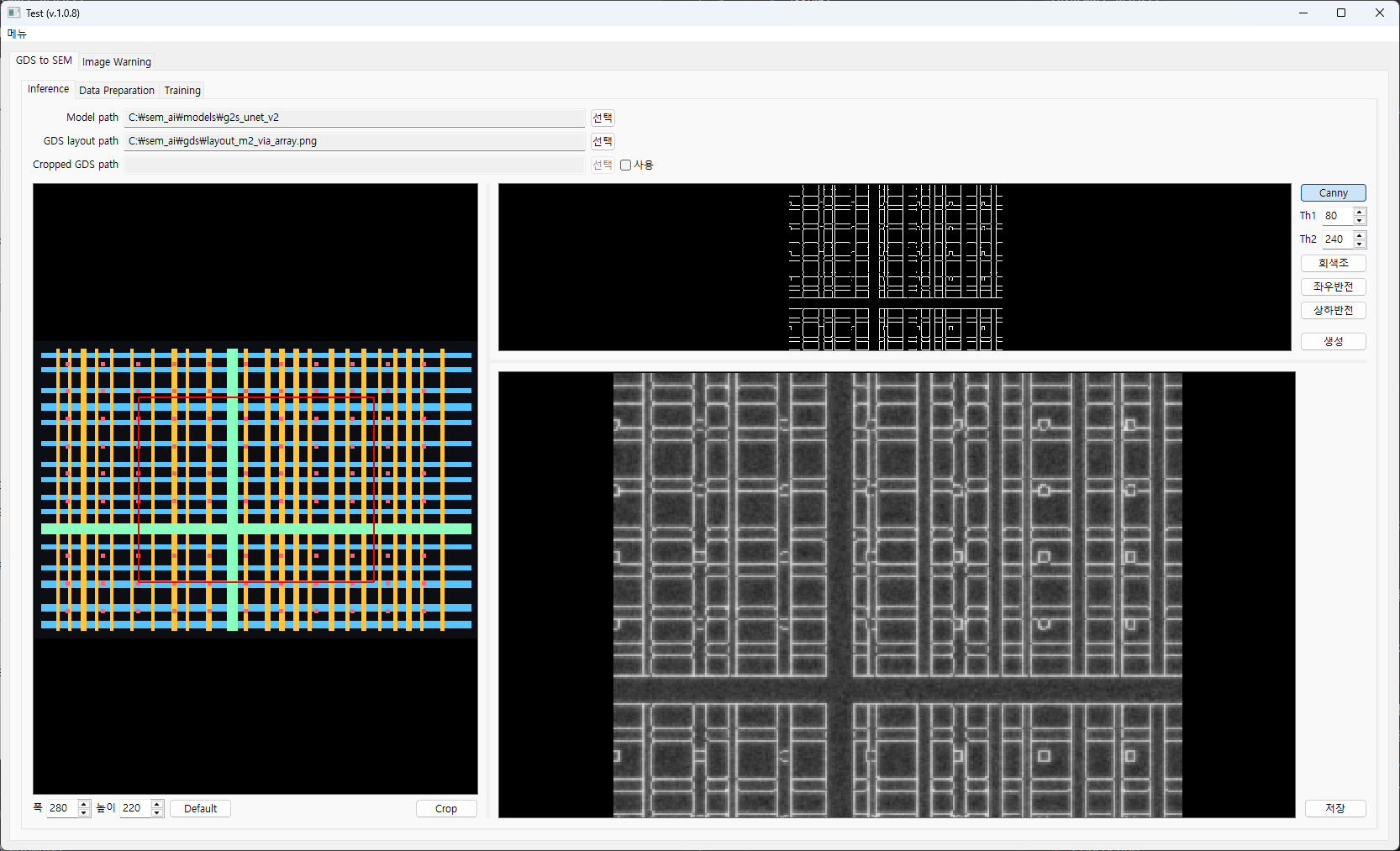
- First, generating a measurement image from a design layout
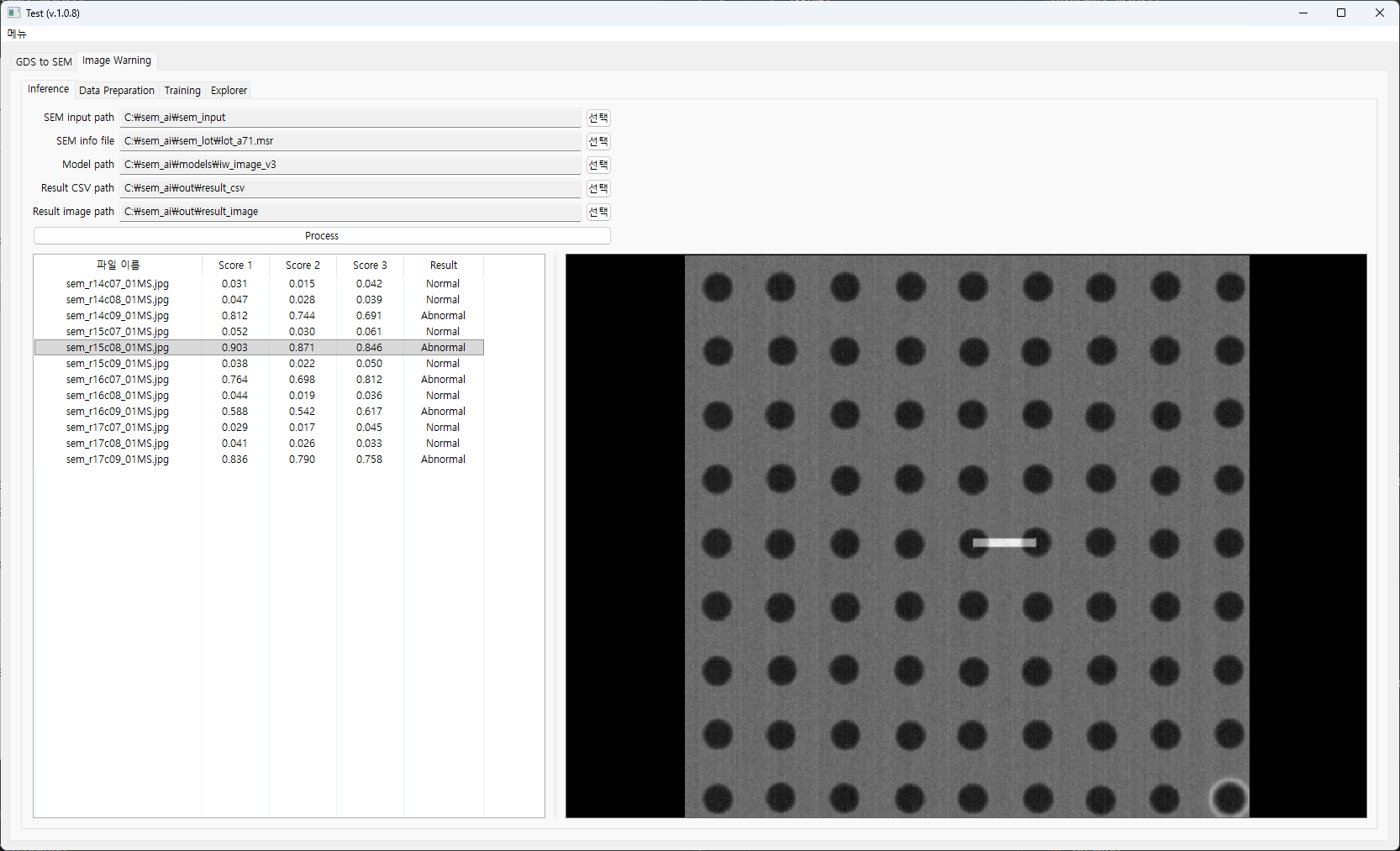
- Second, judging whether a captured measurement image is normal or abnormal
- Each task split into inference, data preparation and training, so model users and model builders work in the same program
- Operators who never touch the models themselves run a job by picking paths and pressing a button
Challenge
- Analysis models shipped as command-line scripts, runnable only by someone who knows the argument names and output format
- Measurement info files and image folders laid out in three different structures depending on the site
- Differing folder depth and numbering rules, so one fixed way of reading an image list would not do
- Normal/abnormal labels for training applied by a person looking at each image
- Models still changing, so the screens had to survive a model being swapped out
Solution
- Top-level tabs for the two tasks; inference, data preparation, training and browsing as sub-tabs
- Analysis scripts called with a fixed argument contract, their console output mirrored straight into an on-screen log
- Jobs that report progress parsed for that figure and reflected in a progress bar
- Selecting a result row opens that image alongside it, so score and picture are read together
- Missing paths named explicitly when a job is started without them
- Errors shown verbatim, so the point of failure stays visible
System architecture
Generating a measurement image from a layout
- Open layout → mark the region to cut → choose preprocessing → generate → save
- Region set either by width/height entry or by dragging on the image
- Edge extraction, greyscale and horizontal/vertical flips toggled with the input updating immediately
- Edge extraction tuned through two threshold values
Screening measurement images
- Point at an image folder and a measurement info file → run → per-image scores and verdicts in a table
- Selected image panned and zoomed in the pane beside the table
- Results written as a comma-separated table file, openable in other tools
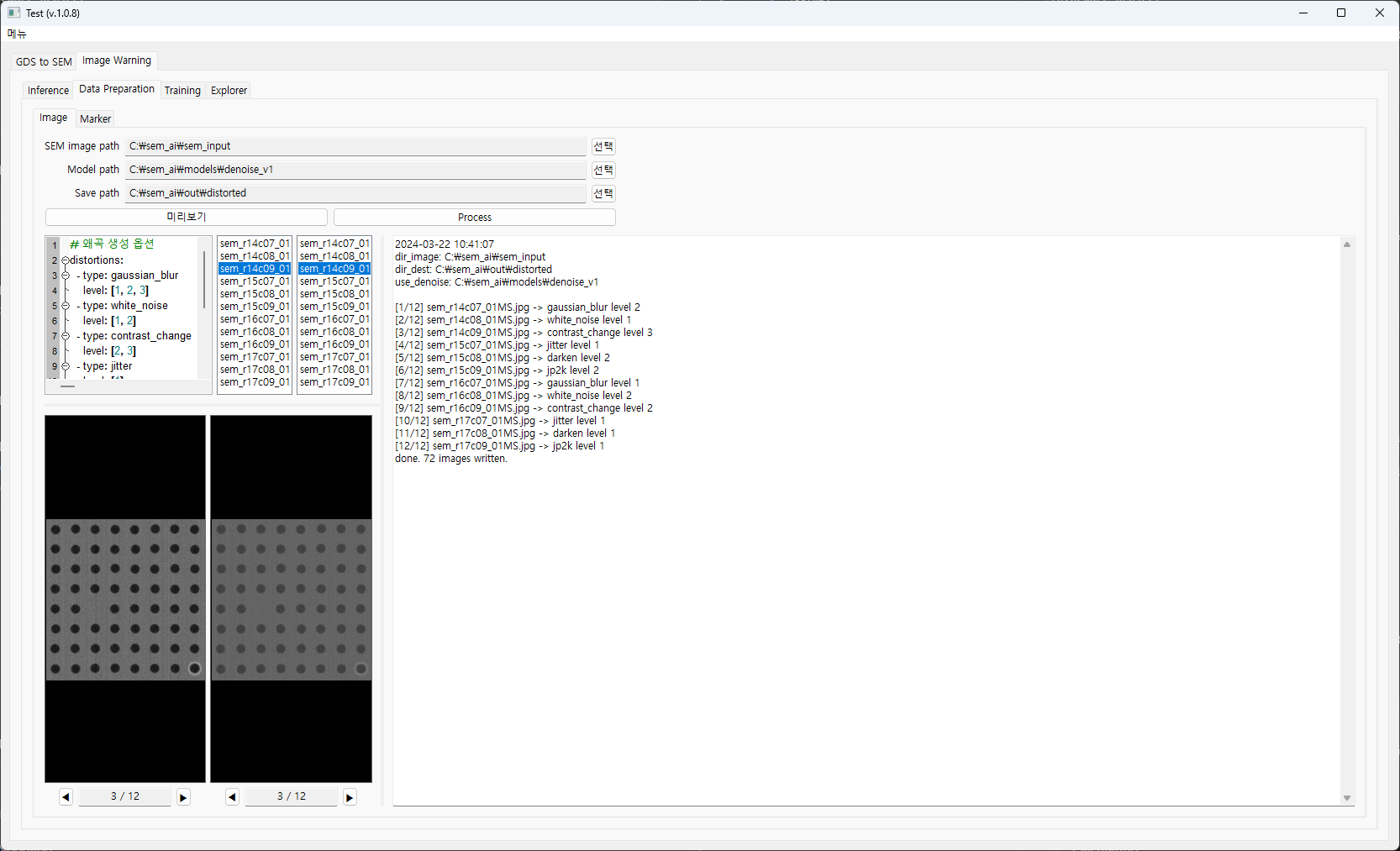
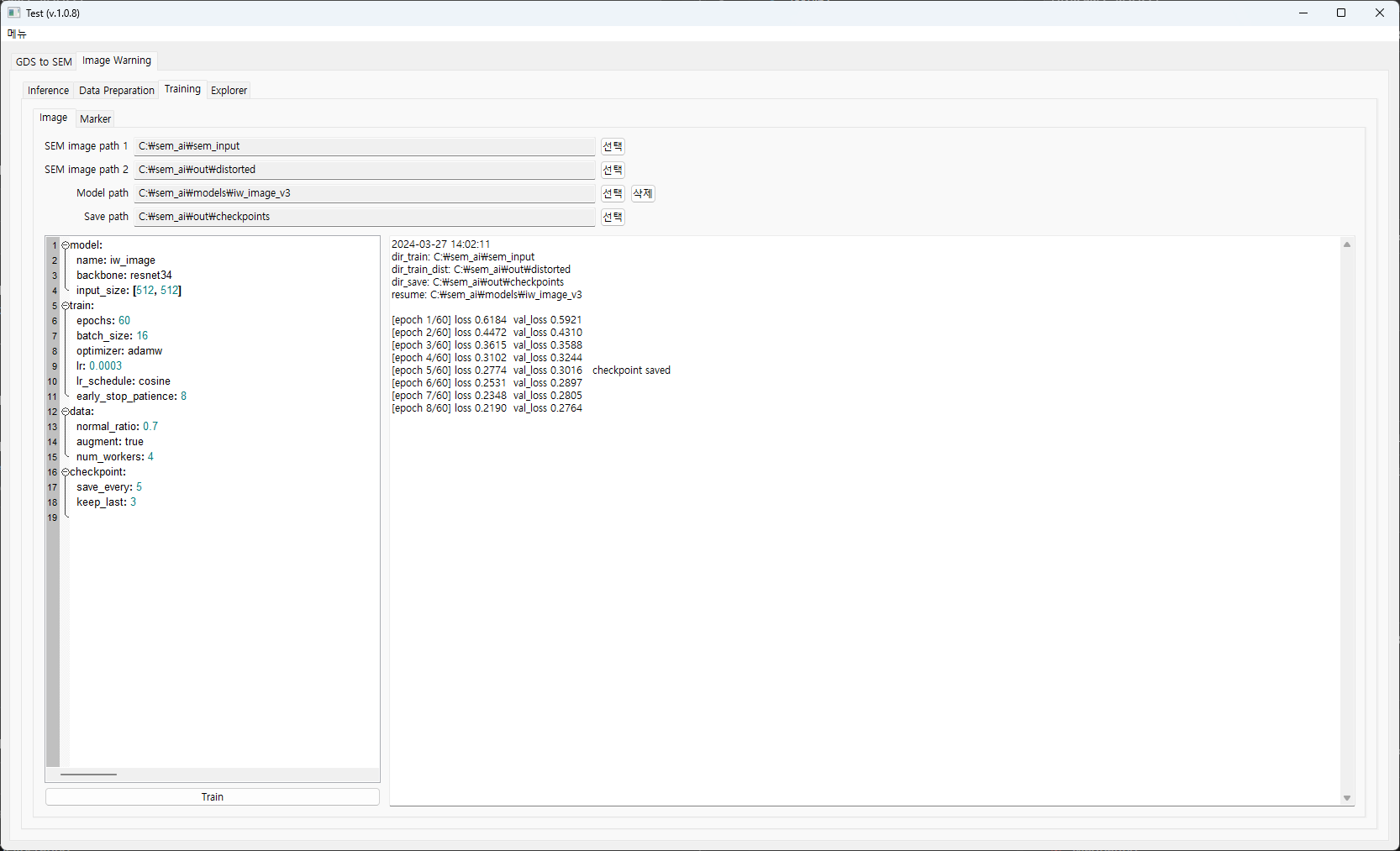
Preparing data and training
- Distortions applied to source images to build a training set → original and result compared side by side
- Training options edited on screen, then training started with the log streaming live
- An earlier result file nominated as a starting point to resume training
Implementation
Reading scattered folder structures
- All three layouts of measurement info file and images read into a single list
- Sub-folders walked to collect images, with the original folder structure kept visible in the tree
- Tidied data exported back into whichever of the three structures is wanted
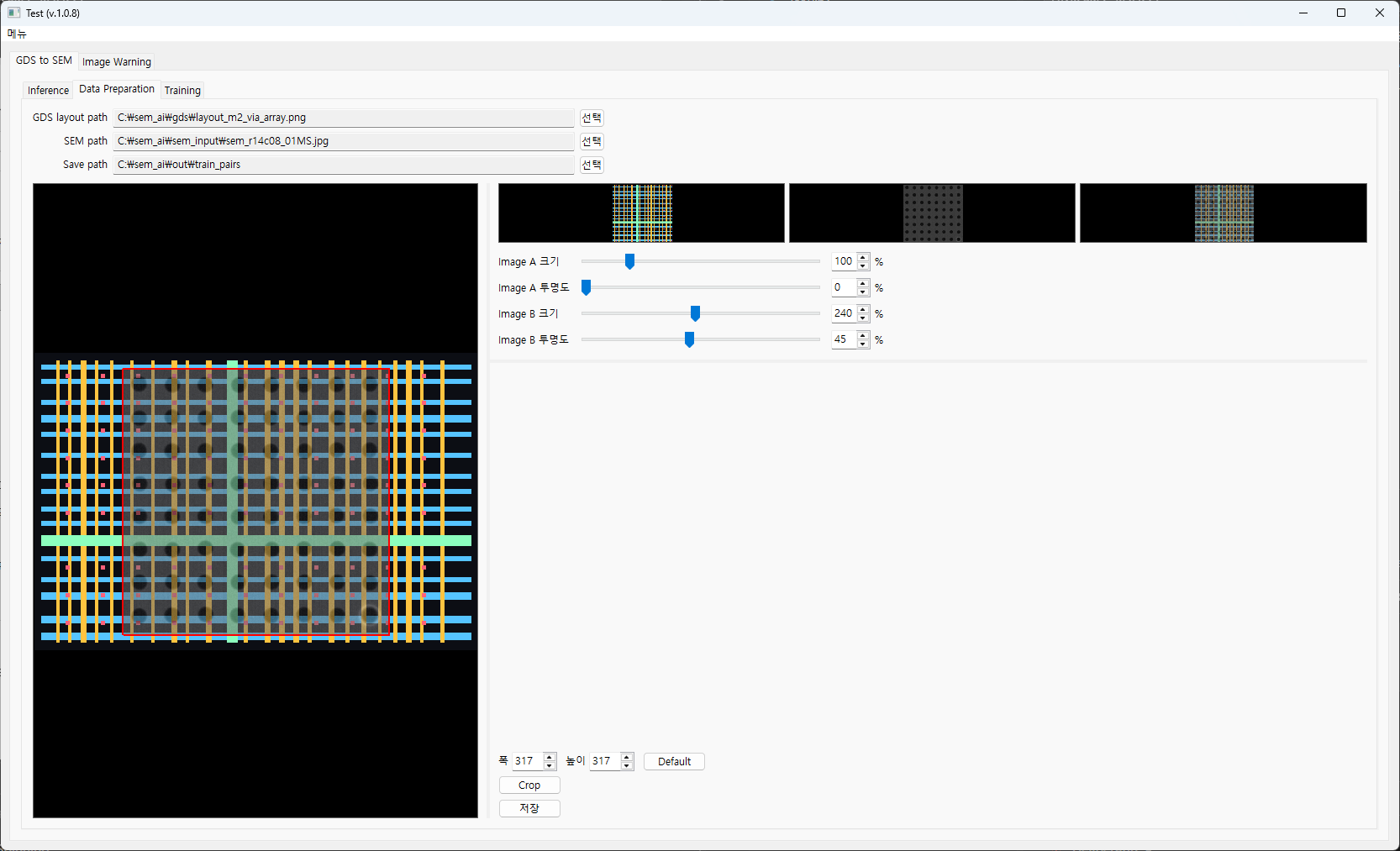
Aligning two images before cutting
- Layout and measurement image overlaid, each with its own size and opacity, and aligned by eye
- Either image moved independently while overlaid, so images at different magnifications can be matched
- Once aligned, the same region cut and saved as three files: layout, measurement, and the overlay
Labelling and comparing
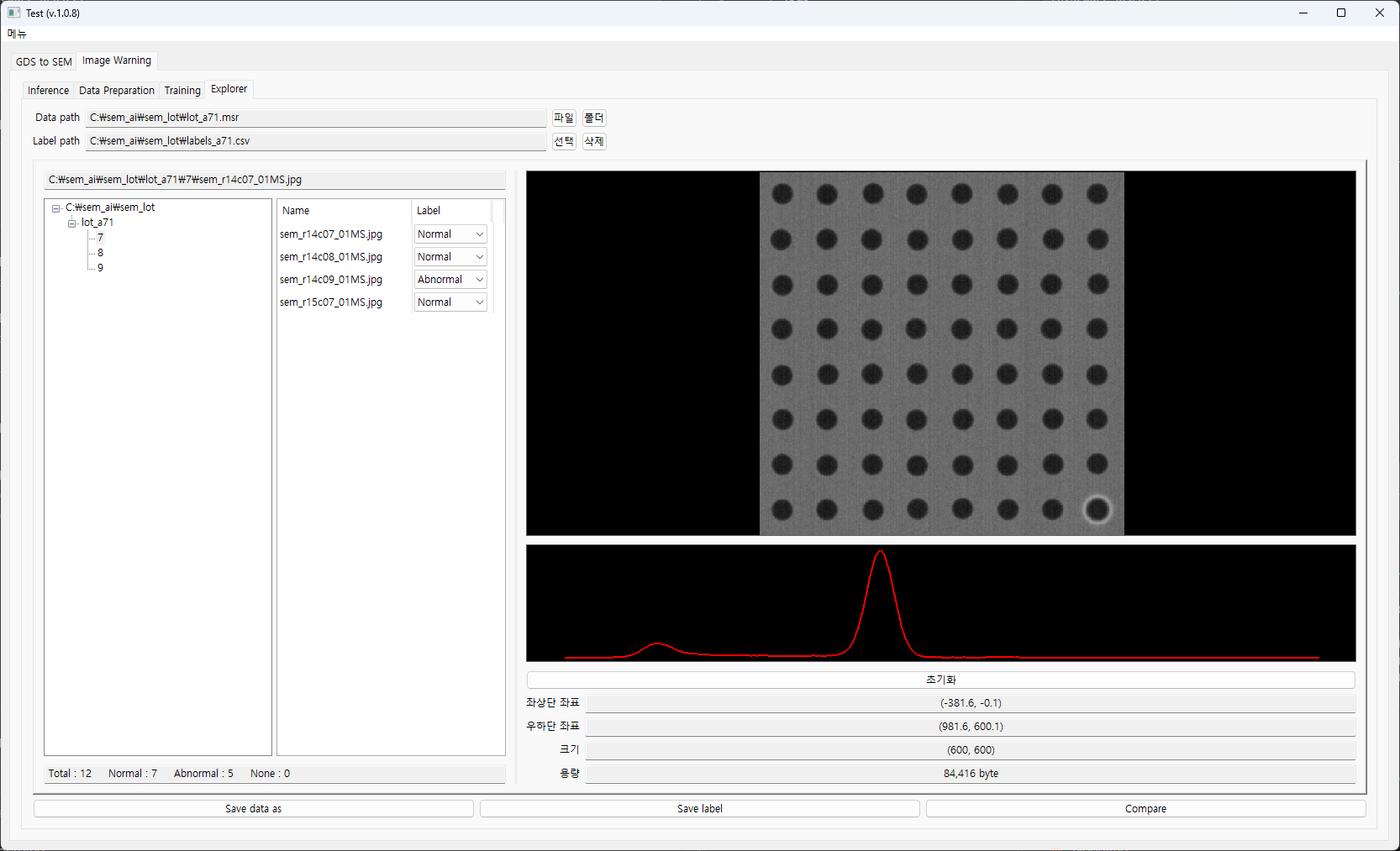
- Labels picked directly in the list, with total, normal, abnormal and unlabelled counts always on screen
- Labels loaded from file remembered even for images not currently open → applied as soon as that folder is opened
- Browser split into two panes for comparing different images, with pan and zoom applied to both at once
- A drag that would not release when the mouse left the image frame fixed down in the display layer
- Brightness distribution, the coordinates of the visible region, image size and file size shown per image
Result
- Analysis runnable by picking paths and pressing a button, without being the person who built the model
- Verdict and image read on one screen → no judgement made from the table alone
- Labelling, training-set generation, training and result review joined inside one program
- Screens unchanged when an analysis script is replaced → the way of working survives a model change
- Site-specific folder structures read the same way, and rewritten into whichever structure is needed
- Open-source licences for the software used readable from inside the program
Technology
- Python
- wxPython
- VisPy
- OpenCV
- NumPy
- Pillow
Screens
Have a problem that needs solving?
From software development to equipment integration and engineering, we can work out the approach that fits what your project needs.
Discuss a project