Engineering · 2024
Robot Barista Store Operation App
Touch desktop app that turns kiosk orders into brewing commands for a collaborative robot
A store operation app that takes kiosk orders, directs a collaborative robot to brew them, and keeps the order queue, equipment status and consumable thresholds on one screen. Staff who never touch robot controls can open and close the store from the display alone.
- Client
- Confidential client
- Category
- Engineering
Overview
- Operation app for a store where a collaborative robot brews the coffee, driven from a touchscreen
- Users: store staff on shift, plus technicians handling installation and service
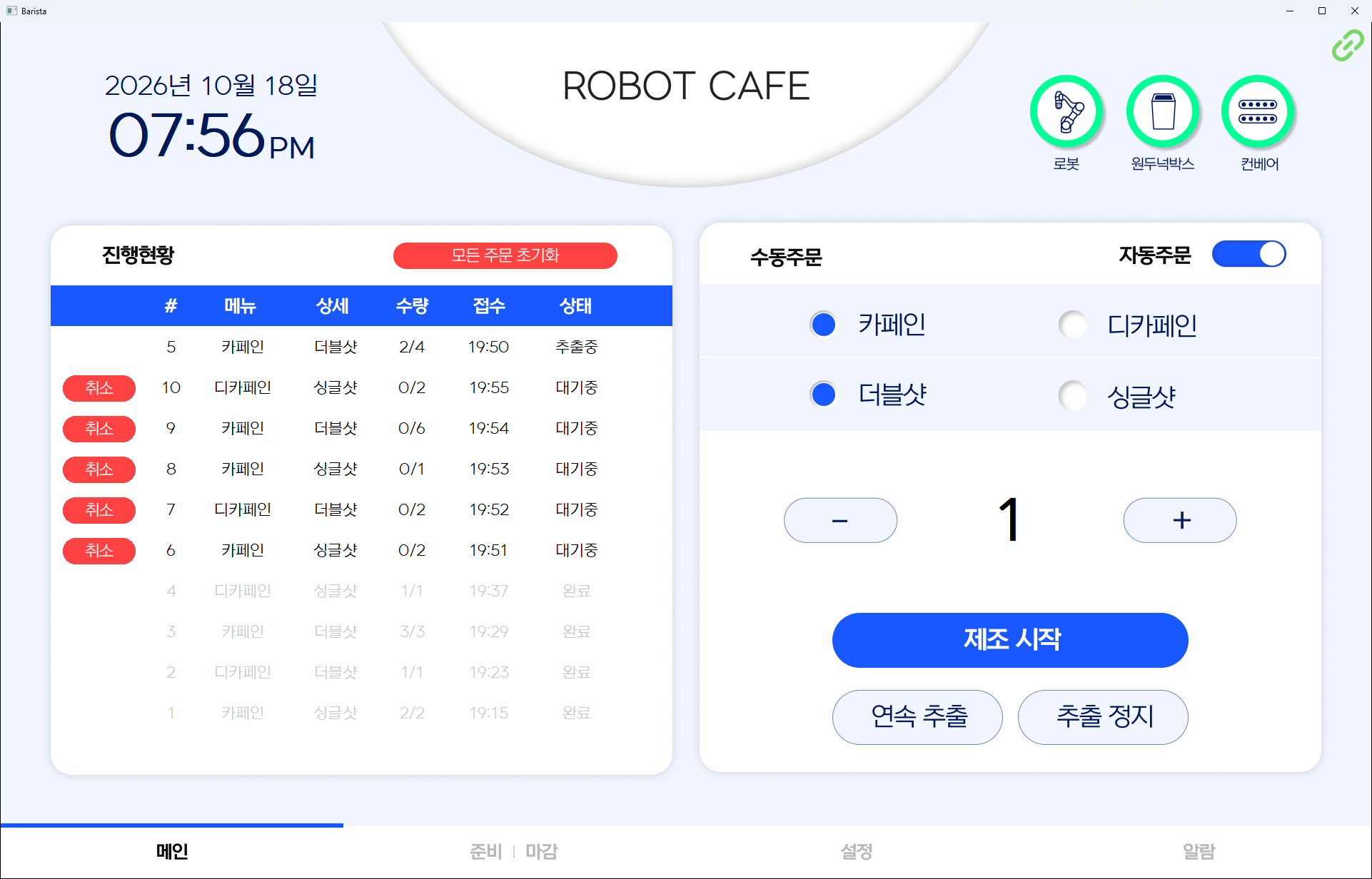
- End-to-end path: kiosk order received → queued → brewing command sent to the robot → per-cup progress shown → completion recorded
- Four bottom tabs (Main, Open | Close, Settings, Alarms) plus a separate admin screen
- Fixed full-screen layout for touch-only operation, with no keyboard required
Challenge
- Robot responds only to fixed signals → orders cannot be passed through as-is, they must become brewing units
- Store staff cannot operate robot controls directly → everything on site has to happen on the store screen
- Dropped connections, restarts and aborted extractions occur during trading hours → order state must survive them
- Beans and the knock box are refilled and emptied by hand → the screen has to flag replacement first
- Opening and closing checks drift from person to person → the screen has to fix the order
Solution
- Two intake paths: automatic kiosk orders and manual orders placed by staff
- Manual order built from caffeinated or decaf, single or double shot, and quantity
- Kiosk link toggled on and off during trading hours → manual operation continues while the kiosk is serviced
- Matching menu on the latest waiting order merged up to 99 cups → keeps the queue from filling with the same drink
- Queue showing up to 15 waiting and 5 completed orders, with per-cup progress alongside
- Per-order cancellation for waiting items, plus a full queue reset when orders pile up
- Continuous extraction without a set quantity, and an immediate stop
System architecture
Order flow
- Kiosk or manual entry → queued → brewing command to the robot → per-cup progress updated → completion or abort recorded
Screens
- Main: order queue and order controls
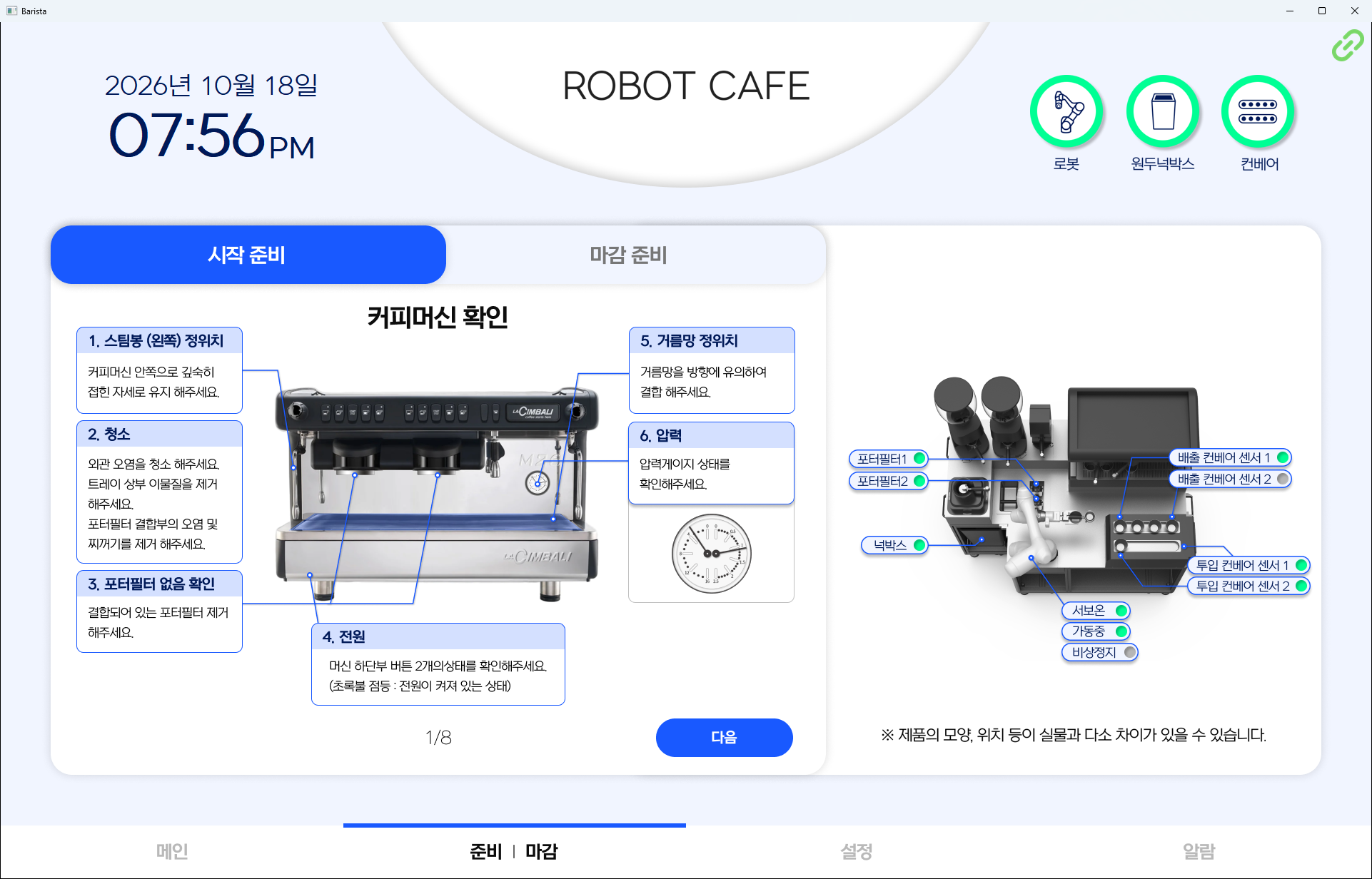
- Open | Close: opening and closing checks with equipment status
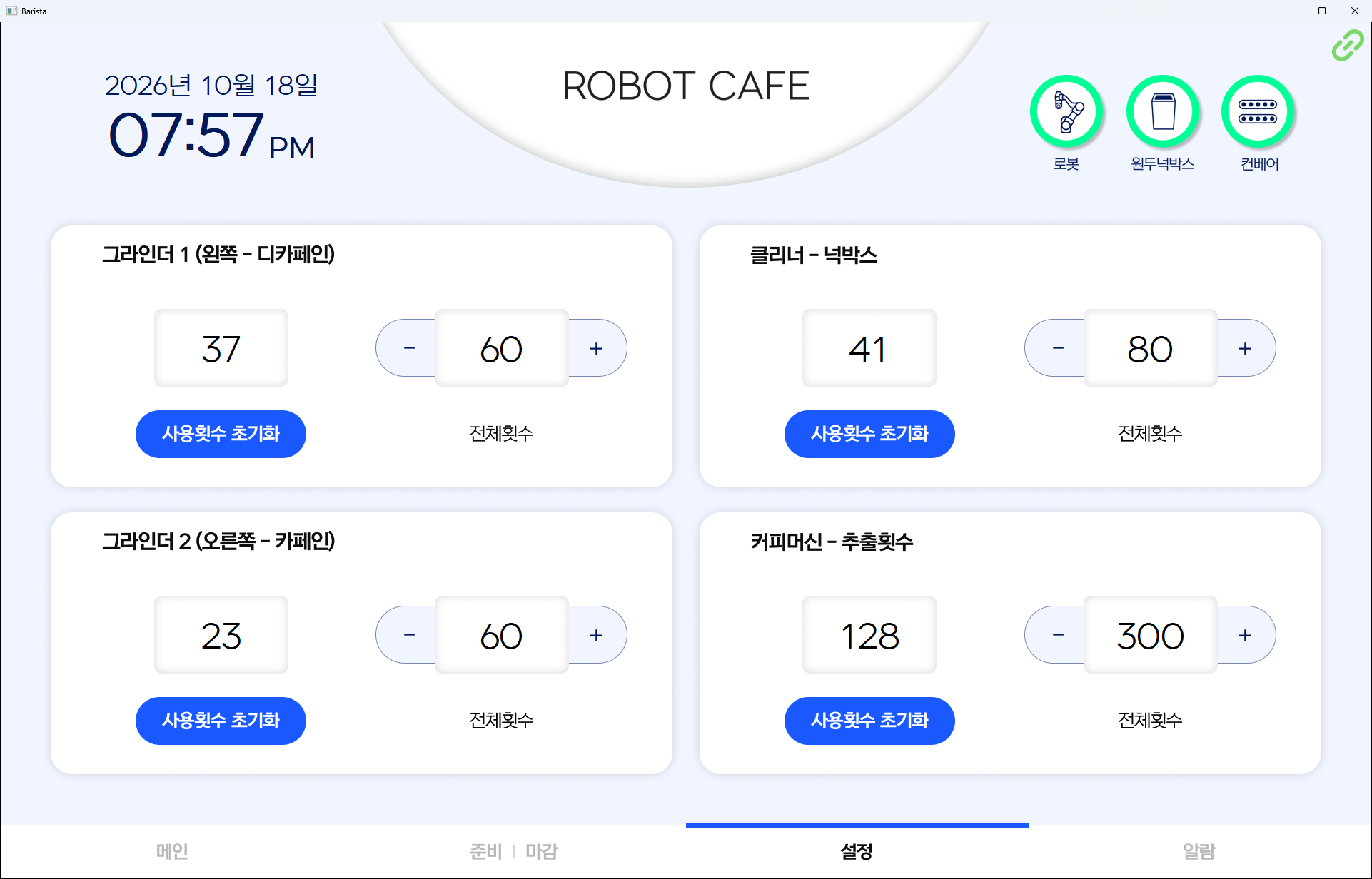
- Settings: consumable usage counts and replacement thresholds
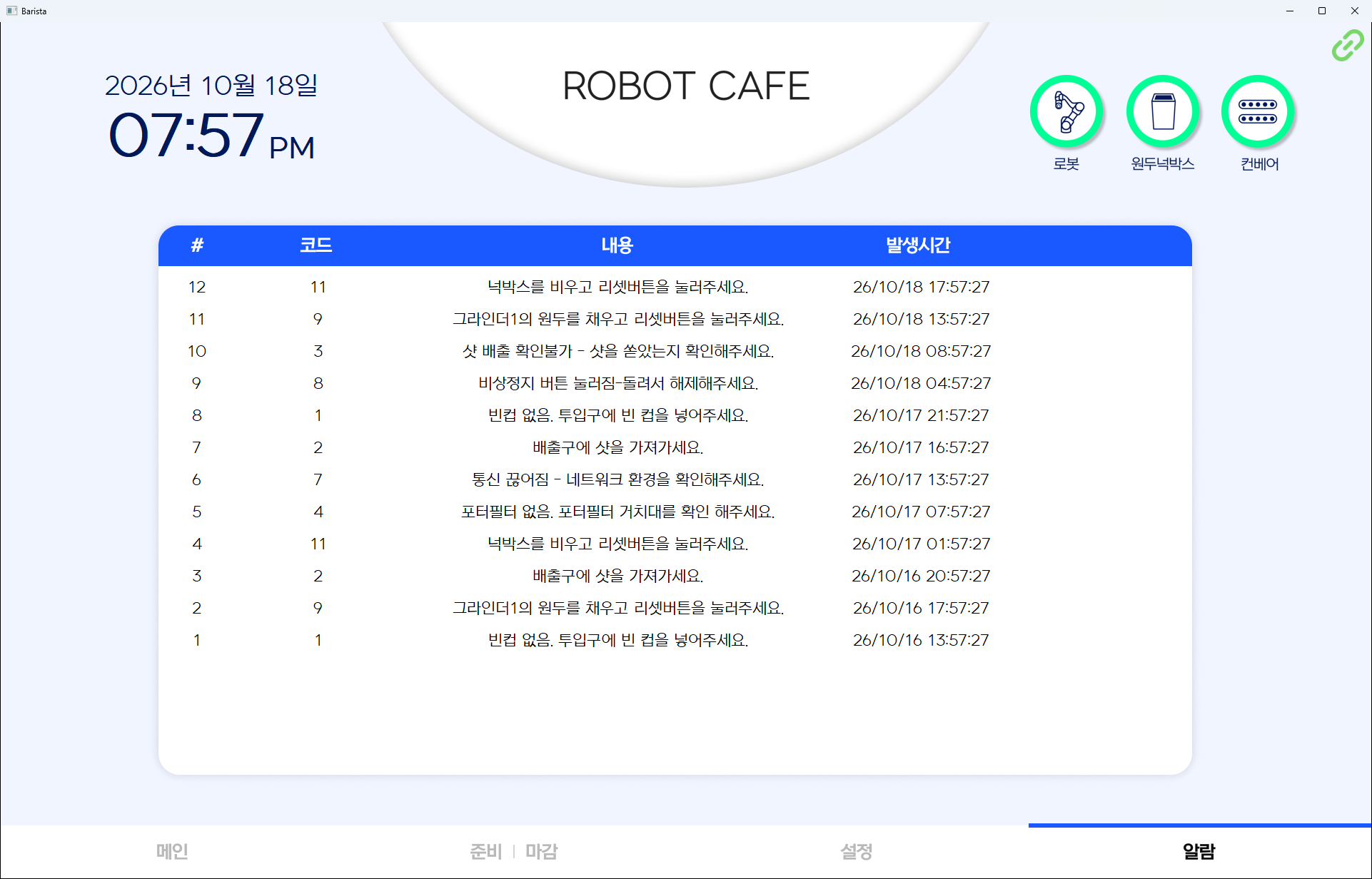
- Alarms: error history
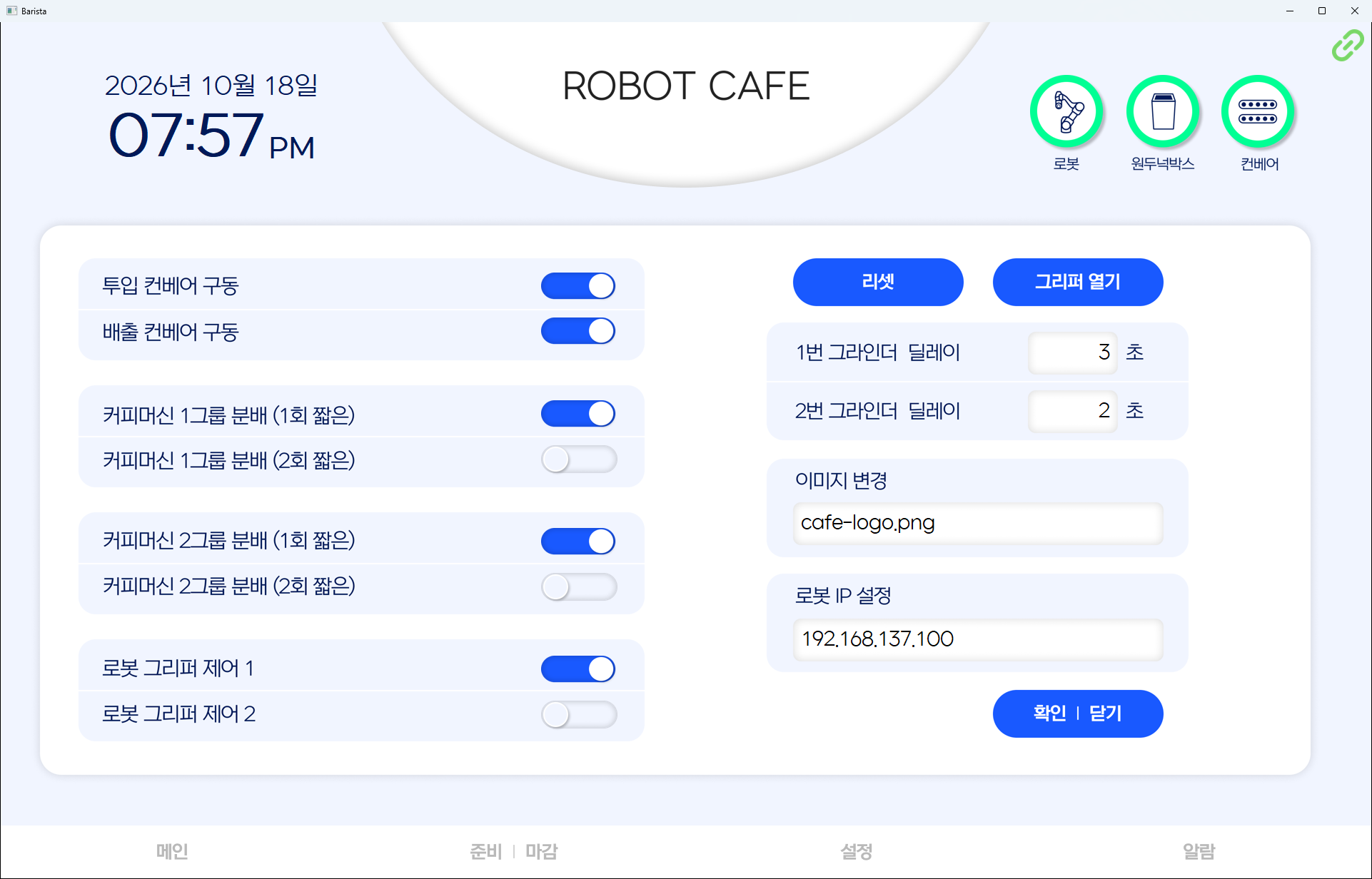
- Admin: equipment signals and connection settings for service work
Implementation
- Command sent → receipt confirmed → command cleared → completion signal exchanged → no duplicate brewing, no lost commands
- On restart, waiting orders restored, and any job the robot was still reporting on finished first before normal operation resumes
- Dropped connection retried automatically, with the drop written to the alarm history
- Counts for grinders, knock box and espresso machine raised at the start of every cup, with a full-screen notice at the threshold
- Errors turned into coded guidance on a full-screen notice that stays until cleared → empty cup, missing portafilter, collision stop, emergency stop, lost connection
- Opening and closing checks laid out over eight illustrated steps, with portafilter, knock box, conveyor sensor, servo and emergency stop states shown beside them
- Closing posture blocked while brewing → no collision from moving the arm mid-job
- Numbers and addresses entered on an on-screen keypad → suits store installations without a keyboard
- Equipment signal settings read back from the robot on connection → screen values never drift from the equipment
Result
- Staff open, run and close the store from the display alone, never through robot controls
- Kiosk orders reach the robot without passing through anyone's hands
- Errors during service come with their cause and remedy on screen, and the past history stays available
- Bean and knock box replacement tracked by usage count rather than by feel
- Waiting orders survive restarts and dropped connections, so service continues uninterrupted
- Technicians adjust equipment signals and connection settings on site from the screen
Technology
- Python
- wxPython
- Modbus TCP
- SQLite
- asyncio
- Pillow
Screens
Have a problem that needs solving?
From software development to equipment integration and engineering, we can work out the approach that fits what your project needs.
Discuss a project