Business System · 2024
Barcode Shipping Desk for Purchase Orders
Desktop app that loads purchase order spreadsheets and clears quantities by barcode scan
Replaced hand-ticked paper order sheets with barcode scanning, so each scan draws down the remaining quantity and records the time it shipped. Orders with the nearest delivery date are cleared first.
- Client
- Confidential client
- Category
- Business System
Overview
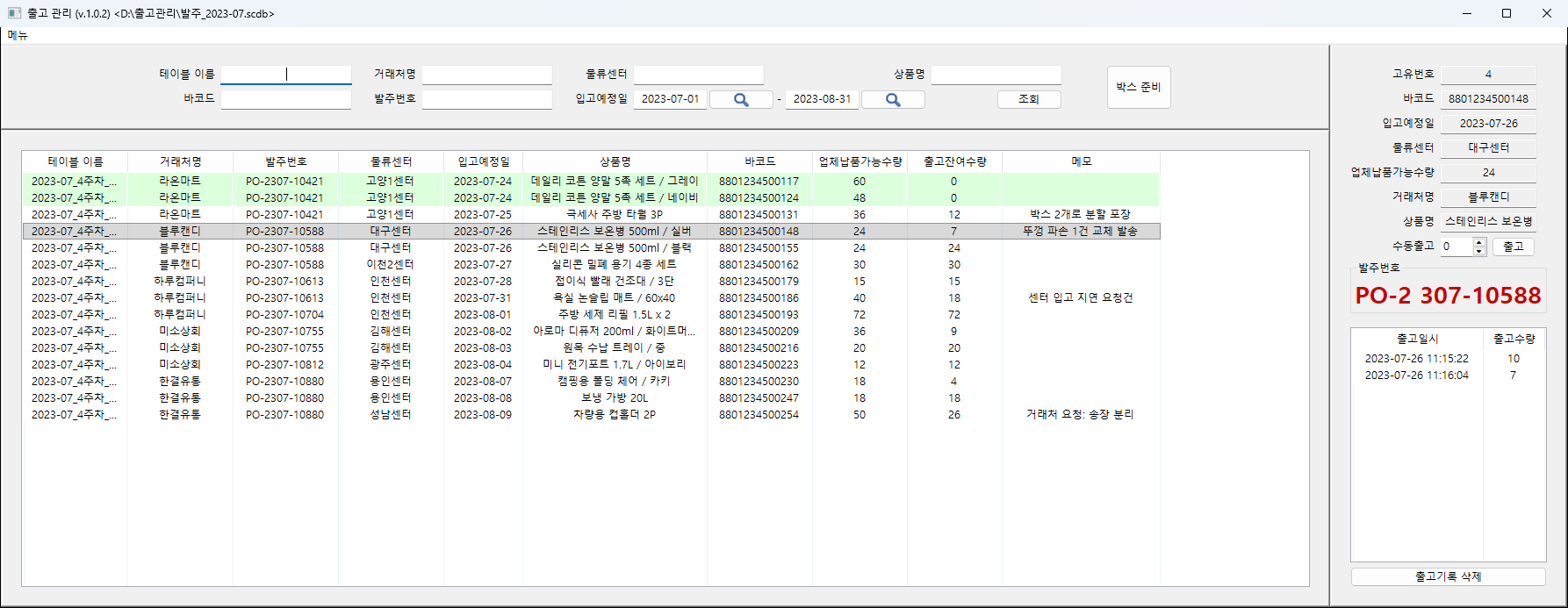
- Windows desktop app for the warehouse staff of an online marketplace seller
- Barcode-driven shipping of orders bound for fulfillment centers, tracked per purchase order
- One screen from start to finish — upload, filter, scan, check what remains, export
- Uploaded order sheets kept in one file under their own names, so past orders stay searchable
Challenge
- Printed order sheets ticked by hand → only the picker knew how far the job had got
- One product spread across several orders → a judgment call on which order to fill first
- Quantities copied back in one batch after picking → missed and duplicated lines
- No record afterwards of when each item shipped, or how many
Solution
- Order sheets uploaded as they are, with missing columns reported by name
- Filters on customer, center, product, barcode, order number and delivery date range; any column header sorts the list
- In shipping mode, a scanned barcode takes one off the remaining quantity and scrolls the list to that row
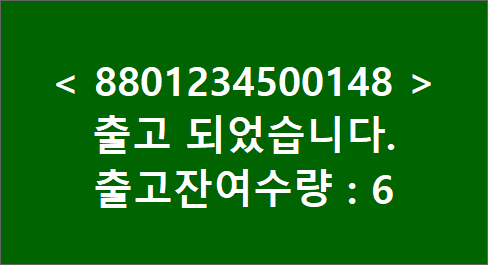
- Large on-screen confirmation right after the scan, showing what is left — readable without leaning into the monitor
- Color carries the outcome — green for a cleared unit, red for nothing left or already complete
- Rows that reach zero change background, leaving only unfinished lines in view
- Items that will not scan can be cleared by typing a quantity, with anything above the remainder refused
System architecture
Flow of work
- Upload sheet → filter → switch to shipping mode → scan → quantity drawn down and logged → export
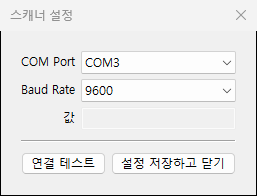
- Scanner connected over a serial port, with port and baud rate set and verified by a connection test
- The whole job lives in a single file — movable between PCs, or split by period for archiving
- Work happens on a copy, leaving the original untouched until save; autosave optional
Implementation
- One barcode across several orders → the nearest delivery date drawn down first, clearing the most urgent center deadline
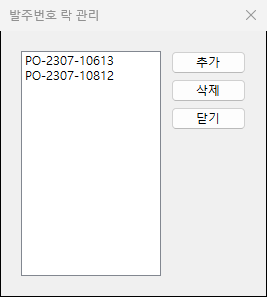
- Order numbers put on hold are refused at the scanner with a locked notice
- Each draw-down logged with its time and quantity; a mis-scan removed by deleting that entry
- Per-row notes keeping floor details such as split packing or replacement shipments with the order
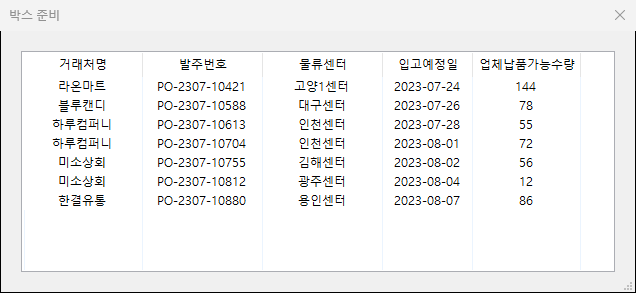
- Box prep totalling the filtered rows by order number, so box counts are known before picking starts
- Files checked on open for every required field, with the missing one named
Result
- No paper sheets and no hand ticking — the scan itself draws down the quantity and leaves the record
- Urgent delivery dates cleared first, without the picker deciding the order
- A per-item history of when and how much shipped, to trace back when counts disagree
- Held orders locked at the scanner, keeping stock that must not leave out of the shipment
- Results exported back in order-sheet form for sharing with the customer
Technology
- Python
- wxPython
- SQLite
- openpyxl
- pyserial
Screens
Have a problem that needs solving?
From software development to equipment integration and engineering, we can work out the approach that fits what your project needs.
Discuss a project