Automation · 2026
Label Print Sheet Generator from Marketplace Order Exports
A desktop app that turns order spreadsheets from four marketplaces into print-ready PSD layout sheets
Reads order spreadsheets whose formats differ by marketplace, lays out each label according to the buyer's chosen options, and produces 300 dpi PSD sheets ready for the print shop. Orders it cannot process are listed separately with the reason.
- Client
- Confidential client
- Category
- Automation
Overview
A Windows desktop program for a company that makes custom cotton name labels for children's bags and clothing and sells them through Korean online marketplaces. It reads the text, label size, character image, and font that each buyer selected at checkout, and builds the print layout from them.
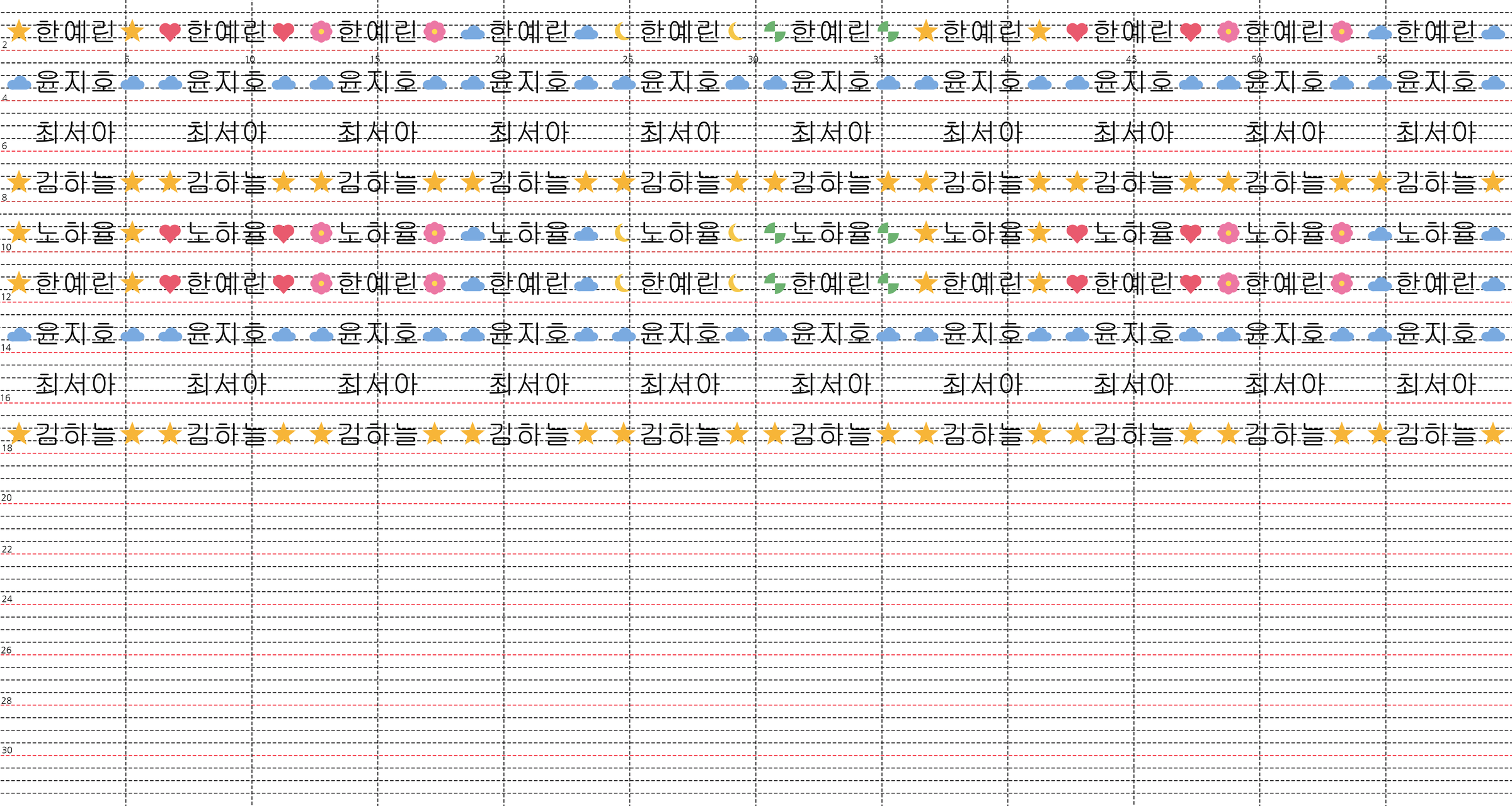
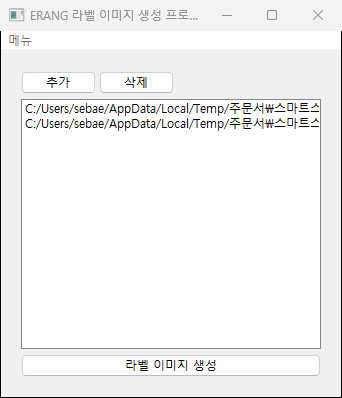
The operator drops a day's worth of order exports onto the window and presses one button. Out come PSD files separated by marketplace and label height. Each sheet is 60 × 32 cm, matching the fabric width, filled row by row with labels and ready to hand to the printer.
Challenge
Orders arrive separately from four marketplaces, and each one exports a spreadsheet with its own column layout and its own way of writing the options. The same order — 1.5 cm, design A, font 3 — sits in a different cell as a different string depending on where it came from.
Until now the layout was built by hand in Photoshop, one label cell at a time, while reading the order sheet. Name lengths vary, so font sizes were matched by eye for every cell, and changing the label height meant rebuilding the whole sheet. A missed order or a mistyped name only surfaced after the sheet had been printed.
Solution
The operator drops the order files onto the window and presses generate. Everything after that is automatic.
- The program identifies which marketplace an export came from by looking at where the header cells sit
- It maps each marketplace's product number to a registered design, then pulls the text, label height, image number, and font number out of the option string
- It places as many labels as the order quantity calls for, writing separate PSD files per marketplace and label height, and starting a new file when a sheet fills up
- Password-protected exports are decrypted with the password before reading
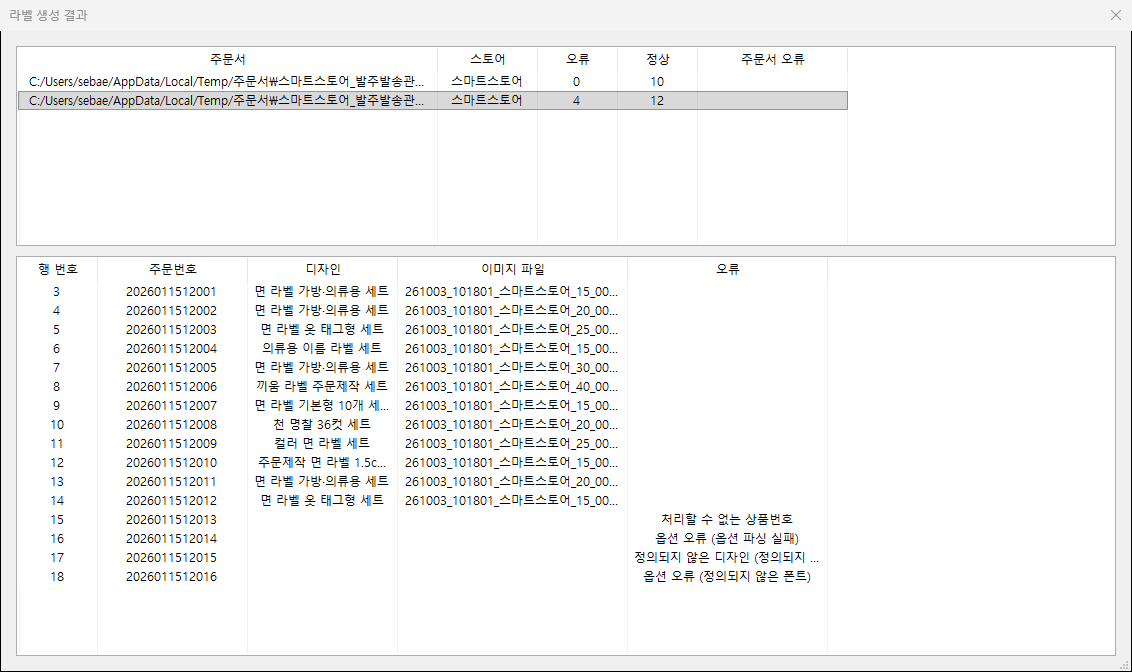
When generation finishes, the program shows both a per-file summary and a per-order breakdown. Each order can be traced by row number and order number to the PSD file it ended up in, and orders that could not be processed are grouped by reason: unrecognized product number, option parsing failure, undefined design, and so on.
The generated sheet goes straight to print. Labels are grouped into layer groups by row, so a single label can still be opened and corrected in Photoshop if needed.
System architecture
Components
- Interface: wxPython desktop UI
- Layout: Pillow draws each label cell, psd-tools assembles them into a layered PSD
- Storage: a single local SQLite database holding designs, per-size types, images, and fonts
- Distribution: a PyInstaller bundle
Data flow
- Read the order spreadsheet, identify the marketplace, and parse each row into an order
- Resolve the design from the product number, and the type, image, and font from the options
- Scale the design coordinates to the ordered label height and draw one cell
- Fill a row across the sheet, opening a new PSD when the sheet is full
- Save the finished sheets and return the per-order outcome
Implementation
Design once, scale everywhere
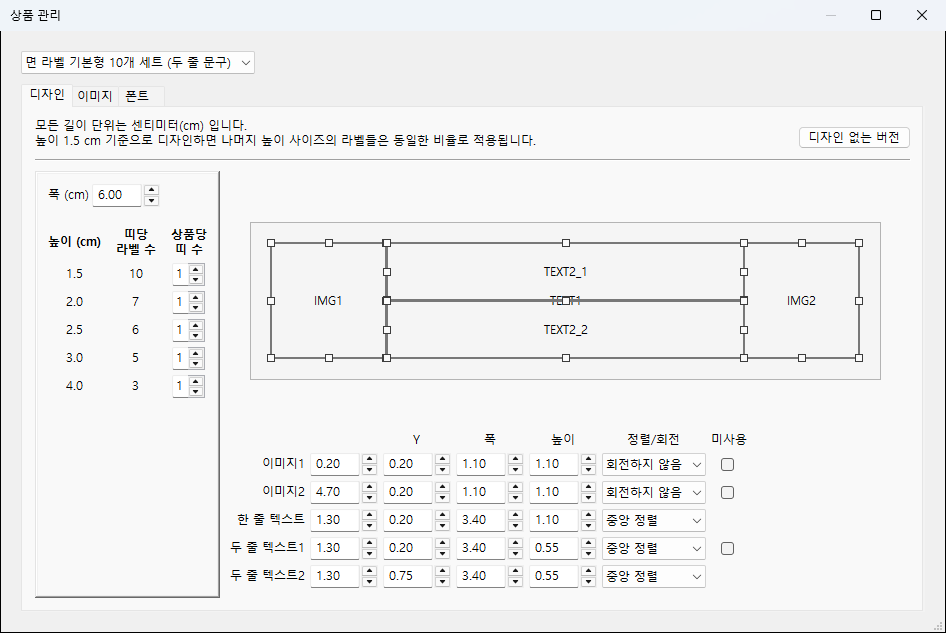
A design is laid out once against a 1.5 cm label height. Every image and text box position and size is stored in centimeters, and 2 cm or 4 cm labels reuse the same values multiplied by the ratio. Adding a height does not require redrawing the design.
In the management window, boxes can be dragged and resized directly on the canvas, and the same values are bound two-way to the numeric fields below. The maximum for each field is recalculated from the current values of the others so boxes cannot leave the label.
Keeping text inside its box
Names vary in length. The largest font size that fits the text box is found by binary search, and horizontal alignment is drawn from an anchor point so that no glyph is clipped at the edge.
Identical output on any machine
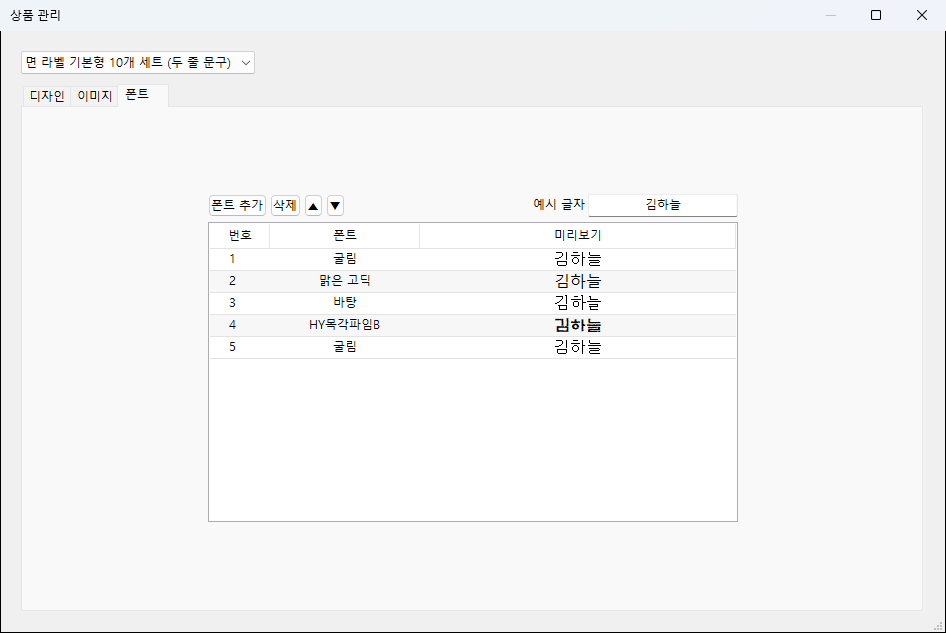
Fonts are not stored by name. The TTF file itself is kept in the database, written to a temporary file at startup and registered as a private font, so the same glyph shapes come out on a machine where that font was never installed. Each design has font slots that the order's font number maps onto.
Normalizing incoming images
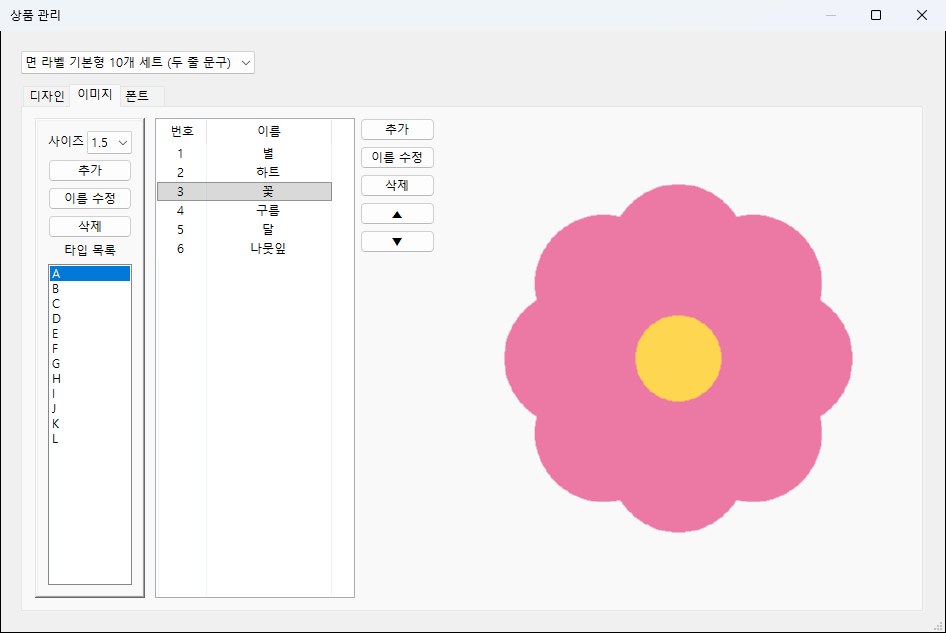
Character images supplied by the company carry whatever color profile and orientation their source application left behind. At registration the EXIF rotation is applied and any ICC profile is converted to sRGB before storage, which keeps colors from shifting in print.
Keeping the interface responsive
Order parsing runs on a worker thread that reports progress back to the window, and the heavy PSD writes are spread across a separate process pool. A single sheet holds hundreds of layers, so saving is the longest step in the run.
Updating without disturbing existing data
The program had to be replaceable without losing the designs and images already built up on site. At startup it compares the model definitions against the actual tables and adds only the missing columns, so a growing feature set keeps using the existing database.
Result
Opening an order sheet and building the layout in Photoshop became dropping files and pressing a button. Per-height layout, cells-per-row arithmetic, and font sizing — all previously done by eye — are handled by the program.
Each order can be traced on screen to the PSD file it produced, so omissions and wrong entries can be caught before printing. Orders that could not be processed are not silently dropped; they remain on the list with their reason.
When a new product or a new character image comes along, the company registers the design, image, or font from the management window without going through a developer.
Technology
- Python
- wxPython
- Pillow
- psd-tools
- SQLAlchemy
- SQLite
- openpyxl
- PyInstaller
Screens
Have a project in mind?
Tell me about the problem and where things stand, and we can work out the right approach together.
Discuss a project