Business System · 2024
Barcode-Driven Outbound Shipping Manager
A desktop app that loads purchase-order spreadsheets and decrements shipped quantities as items are scanned
A Windows desktop program that loads purchase-order spreadsheets, tracks the remaining quantity for each item, and decrements it with a timestamped record every time a barcode is scanned at the packing station.
- Client
- Confidential client
- Category
- Business System
Overview
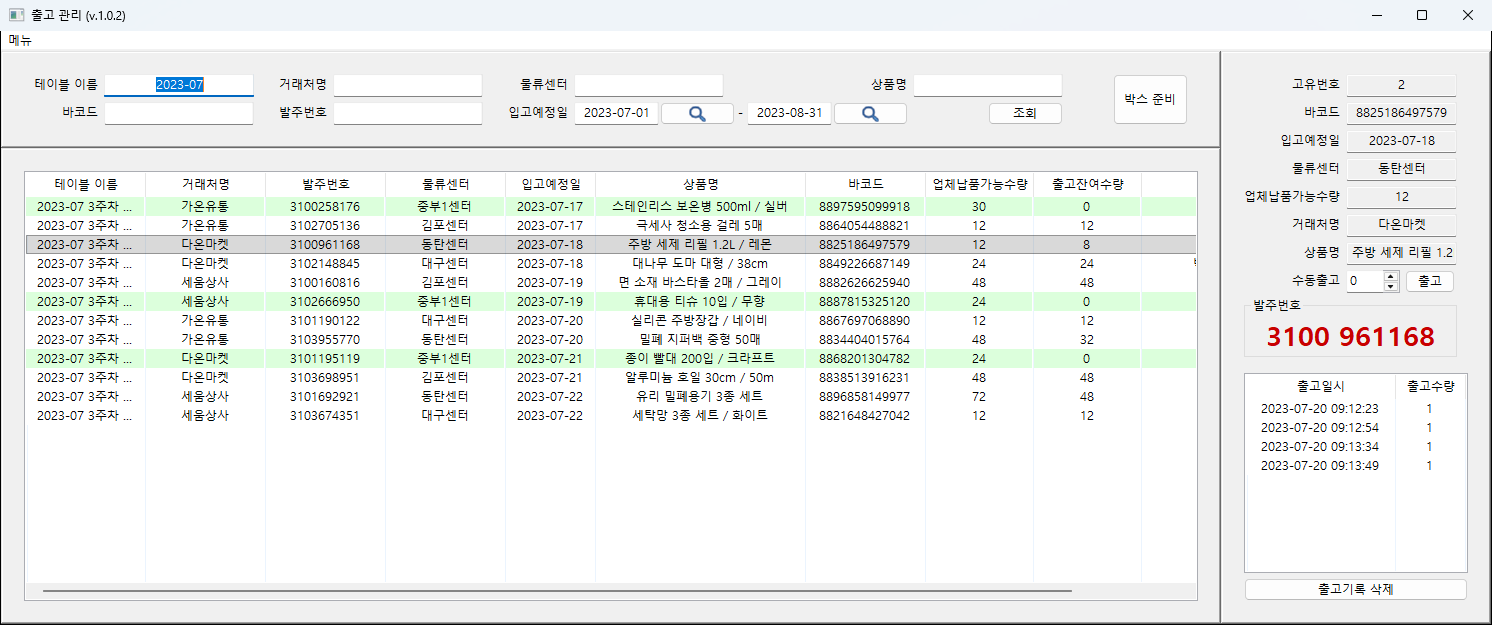
This is a Windows desktop program for outbound shipping work, where items are picked and boxed against incoming purchase orders. Order details arrive as a spreadsheet and are loaded into the program; scanning an item's barcode at the packing station decrements the remaining quantity for the matching order line.
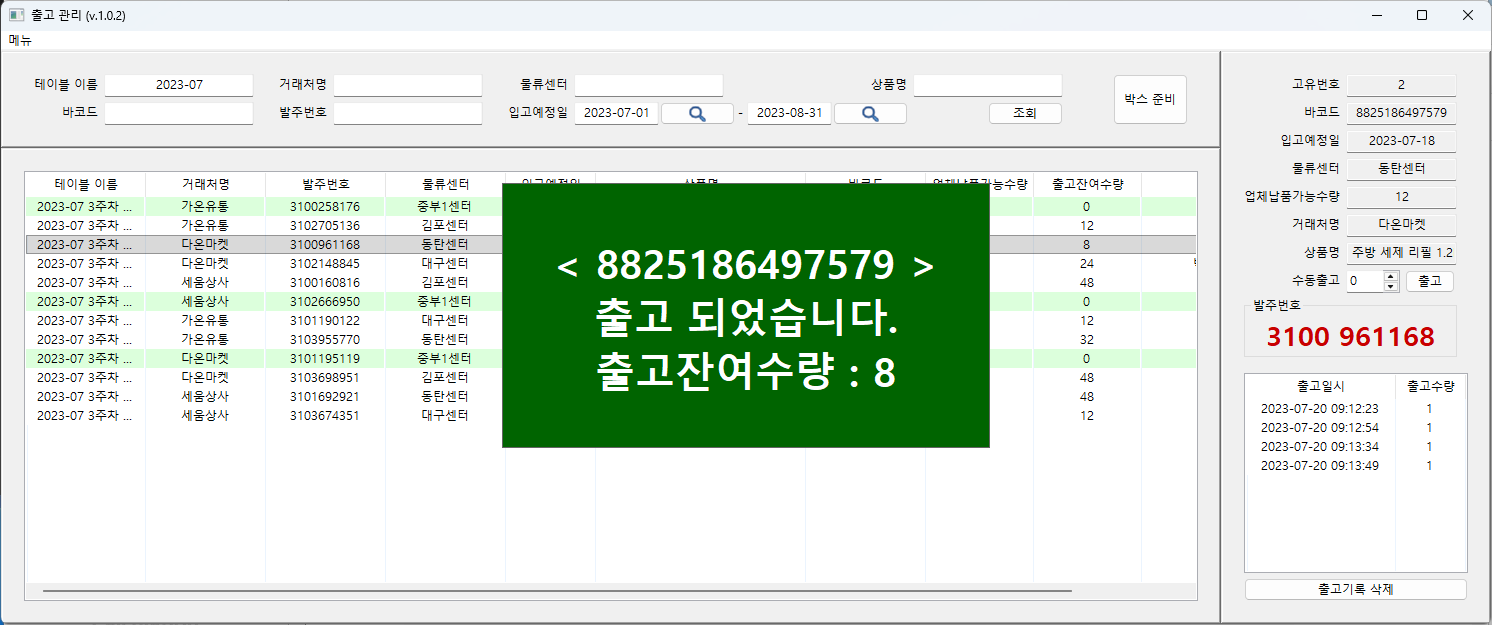
An operator narrows the list to the orders being handled that day, switches on release mode, and from then on touches nothing but the scanner. Each scan raises a large one-second overlay showing the result and the quantity still outstanding, so progress is visible without looking away from the items.
Everything lives in a single SQLite file. There is no server and no installation step, so moving the work to another PC or taking a backup is a matter of copying one file.
Challenge
Purchase orders arrive as spreadsheets. A single file mixes orders from several customers, distribution centers, and delivery dates, and the same item can appear on several lines under different order numbers. A barcode alone does not identify which line to decrement, so the program needed a rule for choosing one.
The packing station imposed its own constraints. The program had to run on a single PC with no server behind it, and the barcode scanner is a model that pushes values over a serial port. With both hands on the items, the workflow could not ask for anything beyond the scan itself.
Solution
Loading order spreadsheets
- Reads the customer, order number, distribution center, delivery date, product name, barcode, and available quantity columns, plus the outstanding-quantity and memo columns when present
- Each spreadsheet becomes one named table, and a name already in use is rejected
- Missing required columns are reported by name, and rows whose values are the wrong type are skipped
Searching and shipping
- Table name, customer, distribution center, product, barcode, and order number filter by partial match; the delivery date filters by range, defaulting to the last year
- Turning on release mode connects the scanner, and only items within the current search results are processed
- When one barcode spans several orders, the one with the earliest delivery date is decremented first
- Rows that reach zero change background color and stand out in the list
- Items that cannot be scanned are shipped by entering a quantity directly; a negative value reverses a mistaken entry
Other features
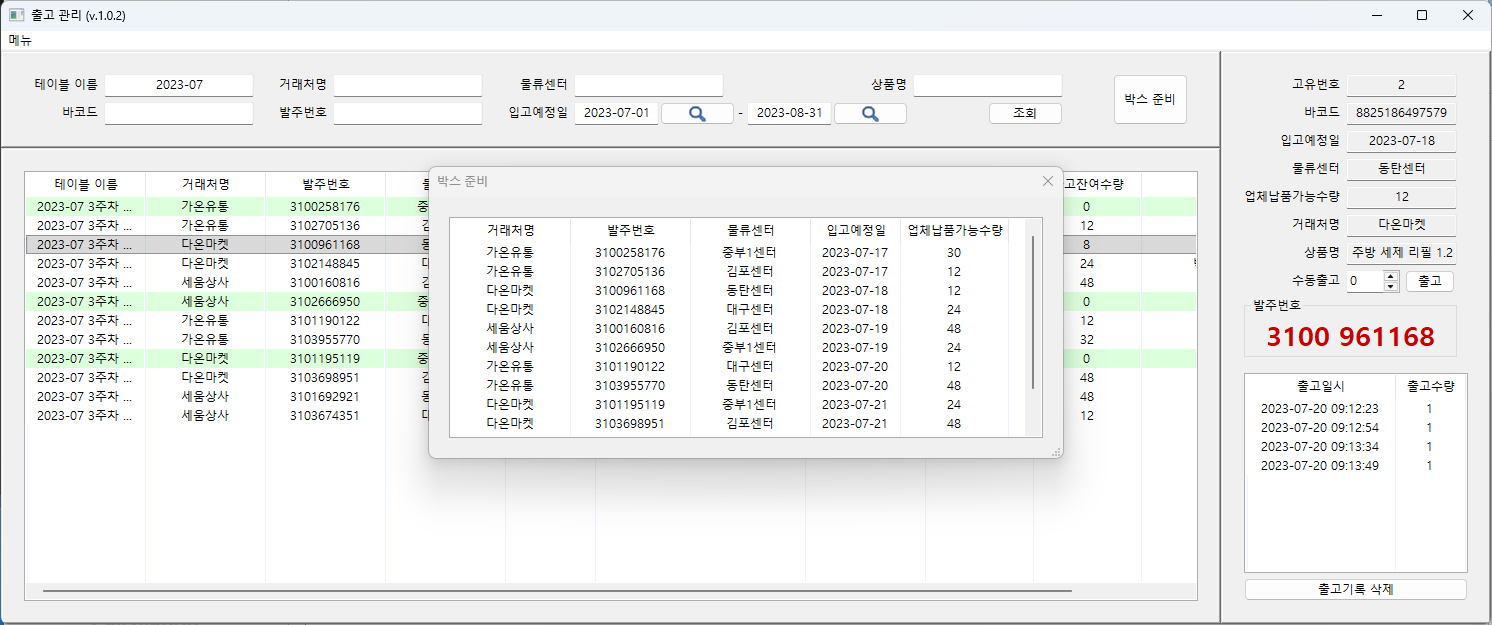
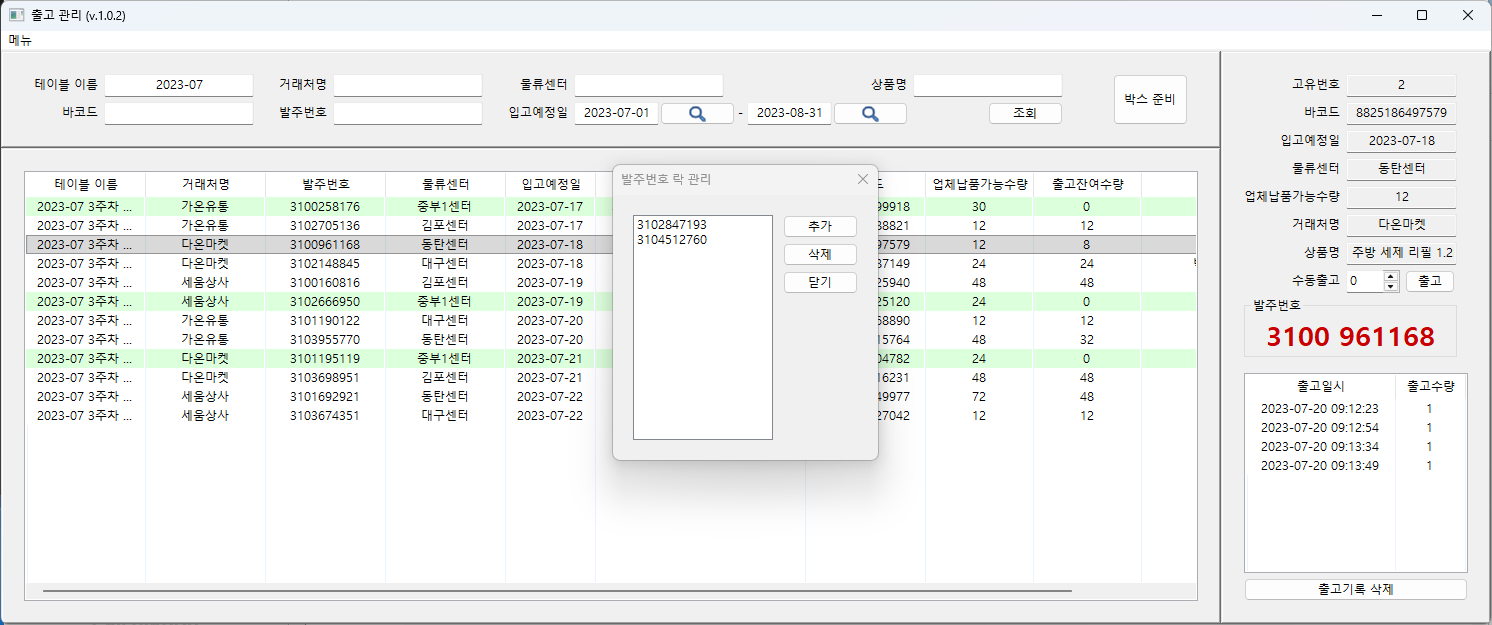
- Box preparation: rolls the current results up by order number, showing customer, distribution center, delivery date, and total quantity
- Order lock: order numbers placed on the lock list are refused at scan time and show a locked notice instead
- Spreadsheet export: writes the current results to a formatted Excel file
- Memos: double-clicking a row records a note, which is carried into the export
System architecture
Components
- UI: wxPython, split into a search panel, the order list, and a panel for the selected item's details and shipping log
- Storage: one SQLite file with three tables —
contentsfor order lines,logsfor shipping history, andtable_namesfor upload batches - Spreadsheet I/O: openpyxl
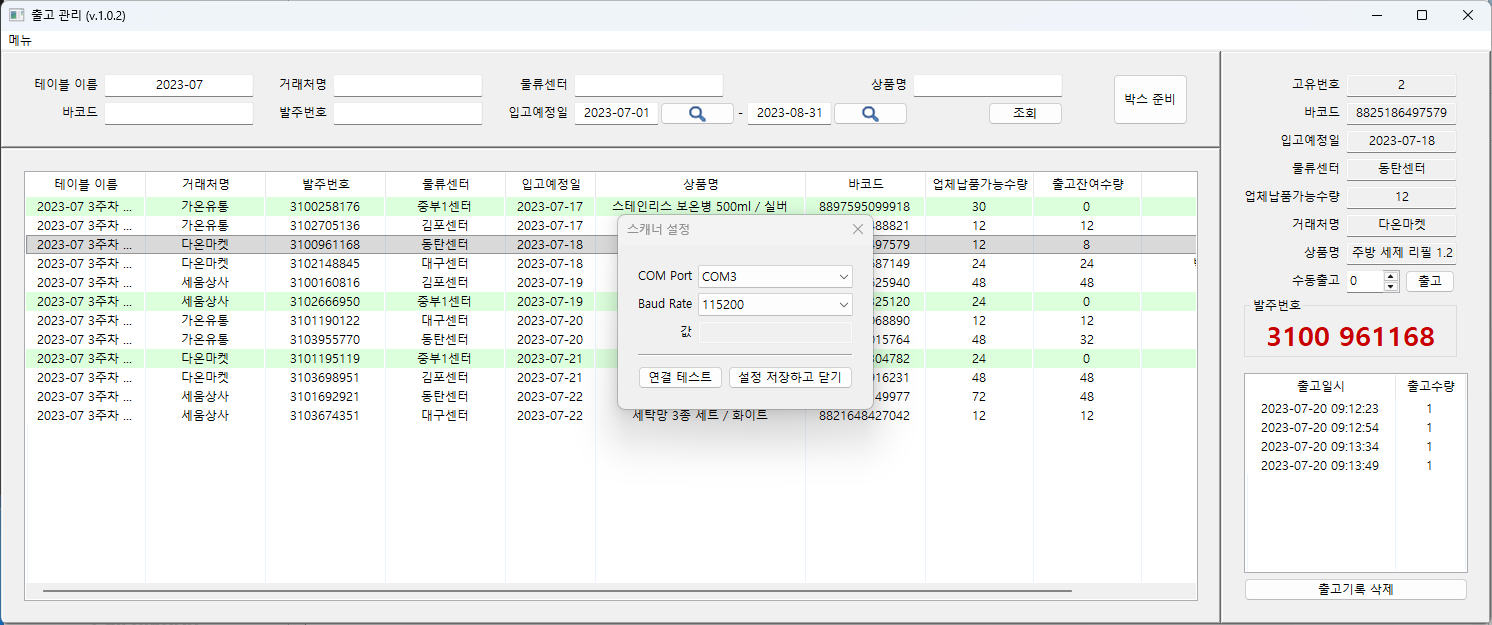
- Scanner: pyserial, opened on the configured COM port and baud rate, with a dedicated thread that reads until a line terminator and hands over one complete barcode
Data flow
An uploaded spreadsheet lands in contents under its table name. A search reads the matching rows in delivery-date order into both the on-screen list and an in-memory cache. Scans are resolved against that cache, so anything outside the day's search range is never touched.
Each decrement reduces the outstanding quantity in contents and appends a timestamped row to logs. Because history is kept per item, what shipped and when can be traced afterwards.
Implementation
Working on a copy until saved
Opening a database file copies it to a temporary location and all work happens on that copy. Only an explicit save writes back, so a day with a wrong upload or a misscan can be discarded by closing without saving. To keep that from biting during long sessions, an optional autosave writes back every 30 seconds.
Before a file is opened, it is checked for all three tables and every expected column, and anything missing is named in the error.
Scan handling
The scanner thread runs separately from the UI; once a complete barcode arrives it is handed to the UI thread through wx.CallAfter to update the screen and the database together. A busy flag discards scans that arrive mid-update, so rapid consecutive scans cannot double-decrement the same item.
Results are color-coded: green on a successful decrement, red when the quantity reaches zero or the barcode has already been fully shipped. The overlay closes itself after a second, and the list scrolls to the affected row and selects it, so nothing has to be looked up by hand.
Preventing wrong shipments
Order numbers that must not go out can be added to a lock list. Items belonging to a locked order are refused even when the barcode matches, and the lock list is written to a settings file so it survives a restart.
To keep an oversized result set from freezing the screen, a search returning more than three thousand rows asks for narrower conditions instead.
Result
Once the spreadsheet is loaded and the search range is set, the shipping work itself is nothing but scanning. Counting items onto paper or hunting down the right row in a spreadsheet does not enter the loop.
Because shipping is recorded per item, the quantity outstanding on each order is visible on screen, and what left the station at what time can be checked later. When the work is done, the current results export straight to a spreadsheet for sharing or archiving.
With no installation, no server, and all data in a single file, the program runs from wherever it is copied onto the packing-station PC.
Technology
- Python
- wxPython
- SQLite
- openpyxl
- pyserial
Screens
Have a project in mind?
Tell me about the problem and where things stand, and we can work out the right approach together.
Discuss a project