Engineering · 2024
Real-Time Weld Width Prediction and Recording Program
A measurement desktop app that estimates weld width by reading camera footage and emission spectra together
Camera footage and emission spectra are captured together during welding, a trained model estimates weld width in real time, and each measurement run is saved as video, spectra, and width data in one step.
- Client
- Confidential client
- Category
- Engineering
Overview
- Desktop program for weld measurement experiments at a research institute
- Both a high-speed camera and a spectrometer connected and controlled from one screen
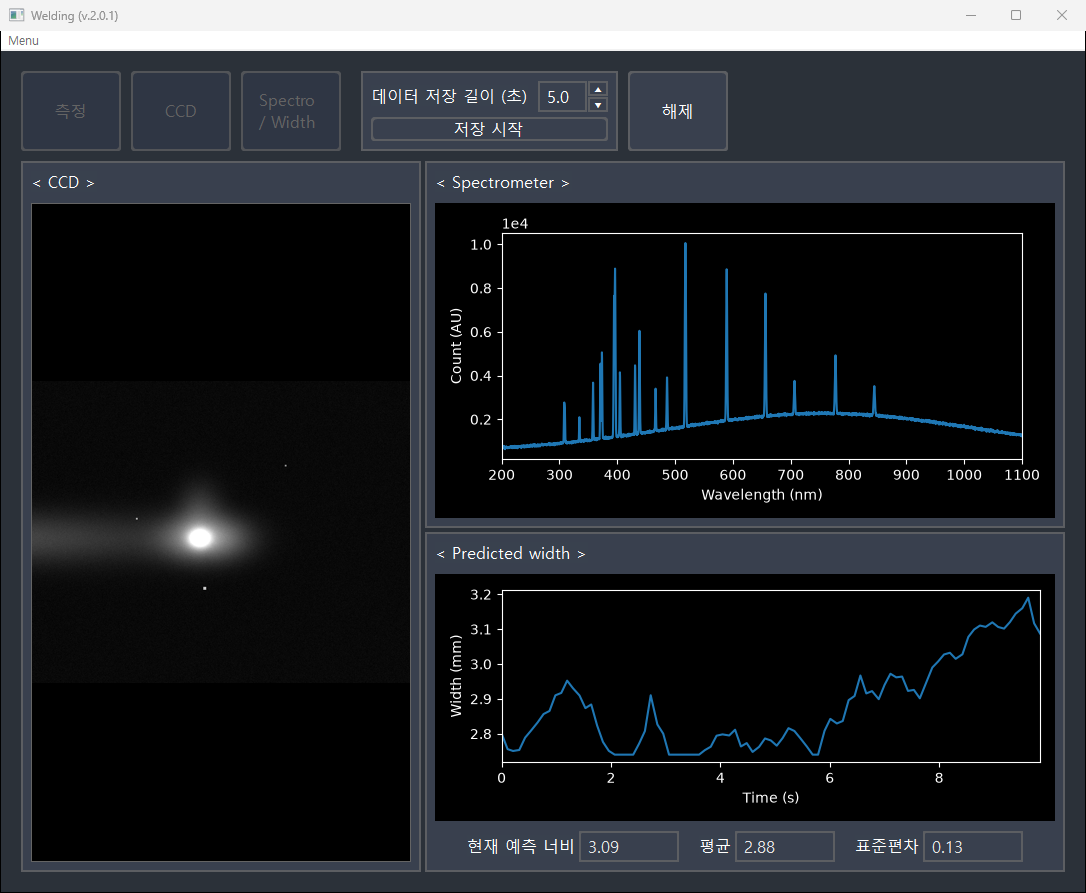
- Camera view, emission spectrum, and predicted width visible while welding is in progress
- One operator handles the full run: connect, observe, record
Challenge
- Two measurement devices of different nature to be operated within a single experiment
- Different acquisition rates on the two devices → frames and spectra must be paired by time before any estimation
- A welding run lasting only seconds → the preceding window must be captured whole, without missing the start
- Repeated runs under changing capture conditions → settings to be stored and restored exactly
Solution
- Single connect action opening both devices and starting the live view
- Camera view, emission spectrum, and predicted width trace shown side by side
- Current predicted width reported with the mean and standard deviation for the window
- Recording length set between 1.0 and 9.9 seconds, with the preceding window saved by one button
- Device-side errors surfaced on screen at once, with the connection released safely
System architecture
Workflow
- Set output paths → connect devices → observe live → start recording → run saved
Data
- Recent data from both devices held in buffers while connected → the preceding window pulled out at save time
- Frames and spectra paired by nearest timestamp for estimation
- One measurement producing a video file, a spectrum table by time, and a predicted width table by time
time,width
-4.98,3.07
-4.97,3.05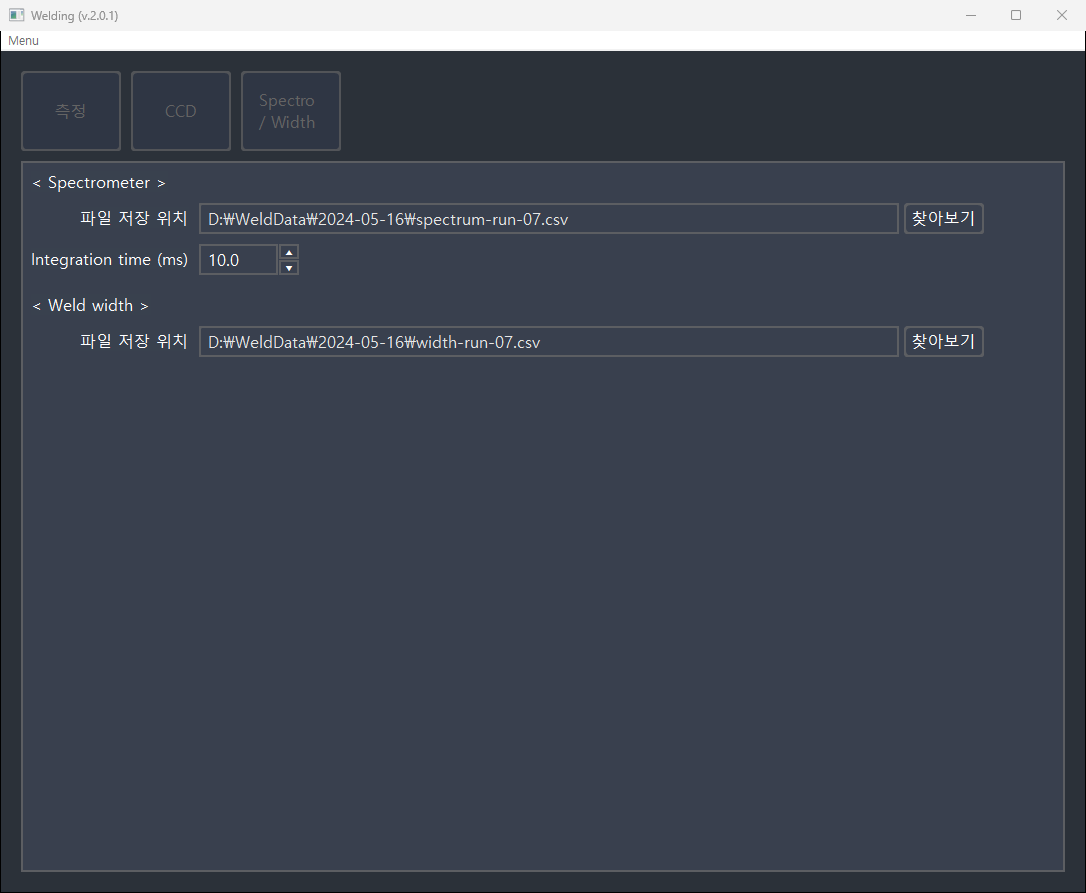
Implementation
- Each device acquiring at its own rate, with screen refresh on a separate fixed interval → the faster device not held back by the slower one
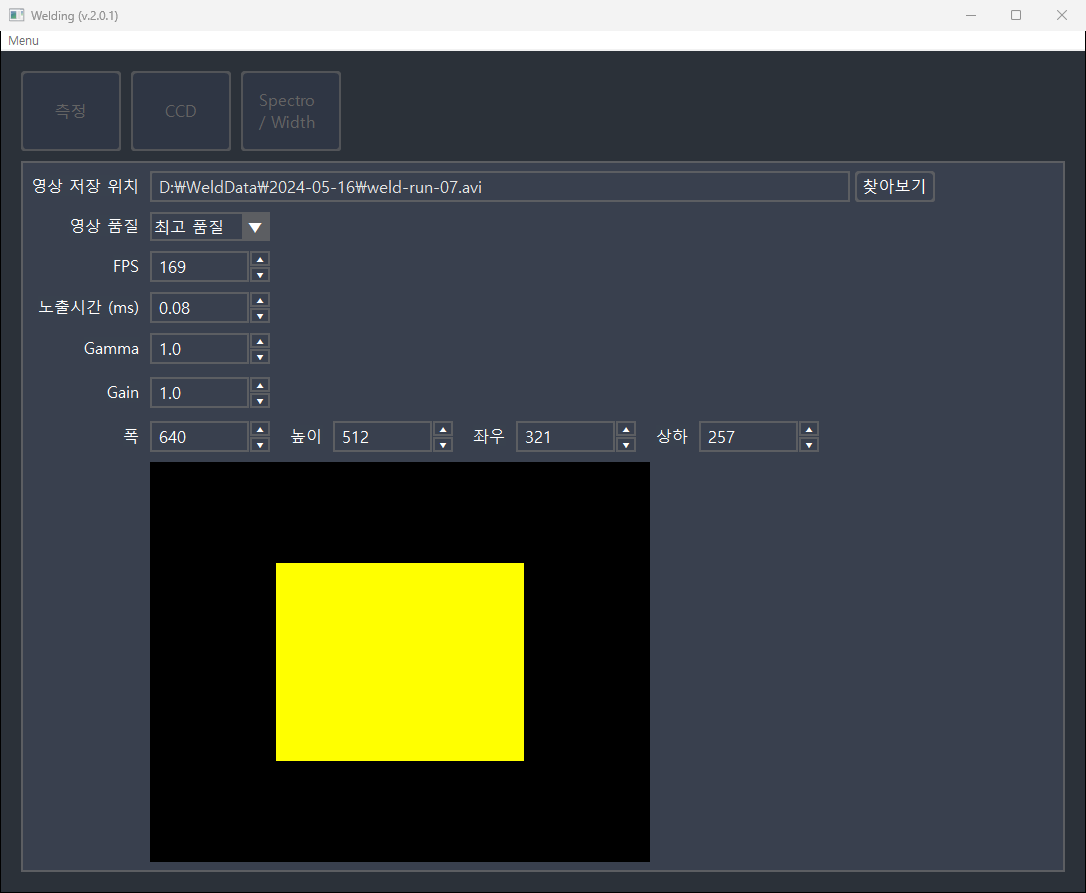
- Capture running above the configured frame rate, then thinned to even intervals at save time → jitter in frame spacing evened out
- Region of interest drawn within the full sensor area as values change → capture area confirmed before connecting
- Three video quality presets → a choice between image quality and file size
- Estimation model kept as a replaceable external file → a retrained model drops in without program changes, and a default model is generated when the file is absent
- Value ranges checked when a settings file is loaded → connection attempts with values the devices cannot accept are blocked
Result
- Predicted width trend readable on screen while welding is in progress
- Video, spectra, and predicted width kept for the same window → cross-referencing possible in later analysis
- Experiment conditions stored as settings files → identical runs repeatable
- Reuse for other conditions through a model file swap alone
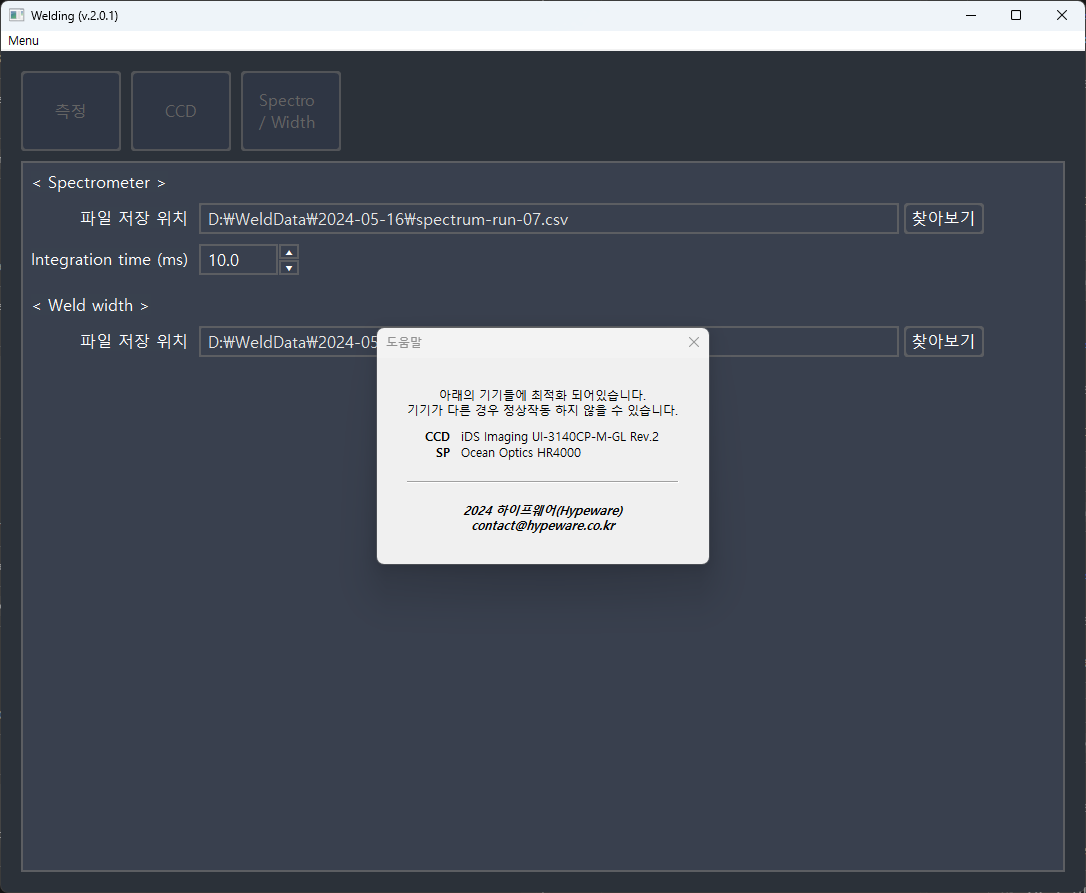
- Supported device models stated inside the program → less confusion when other hardware is connected
Technology
- Python
- wxPython
- Keras
- NumPy
- OpenCV
- pyueye
- python-seabreeze
Screens
Have a problem that needs solving?
From software development to equipment integration and engineering, we can work out the approach that fits what your project needs.
Discuss a project