Engineering · 2024
Live Monitoring App for Wireless Temperature Sensors
An always-on display of cloud-stored sensor readings, with alerts when a reading leaves the configured range
Sensor readings that previously required logging into a web dashboard are now shown continuously on a PC at the site, with an on-screen and audible alert the moment a reading leaves the configured range.
- Client
- Confidential client
- Category
- Engineering
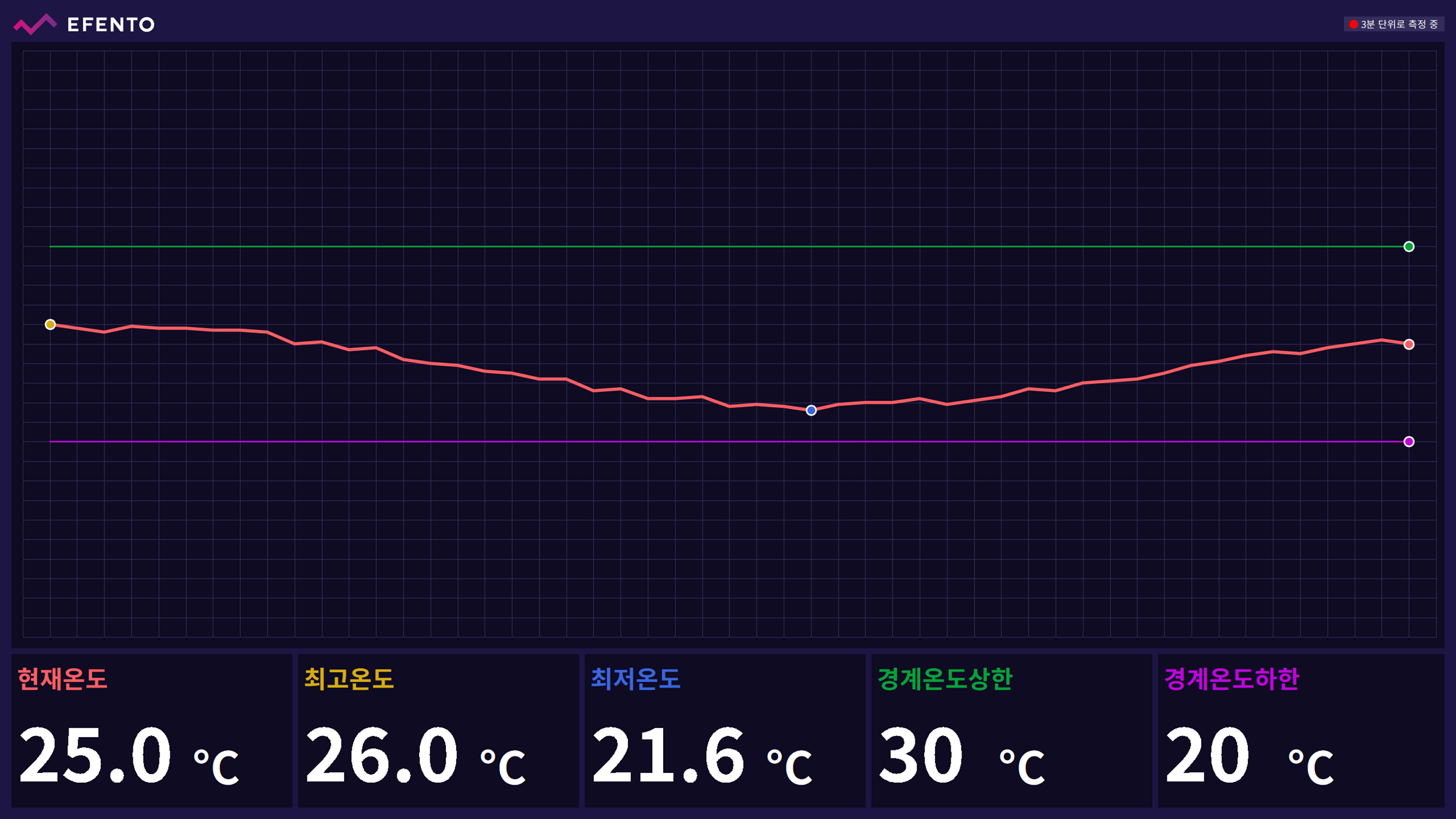
Overview
- Desktop program showing readings that wireless temperature sensors upload to the cloud
- Built for site staff who need to watch temperature continuously
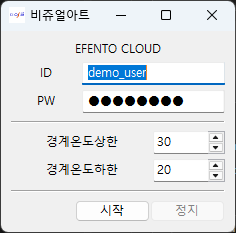
- Launch → cloud sign-in → set alarm limits → monitoring view
- Target sensor, displayed time span and refresh interval set in a configuration file
Challenge
- Readings available only through the sensor vendor's web dashboard, requiring repeated sign-ins
- No alert on an out-of-range reading, so it went unnoticed until the next check
- No always-on display readable from a distance
Solution
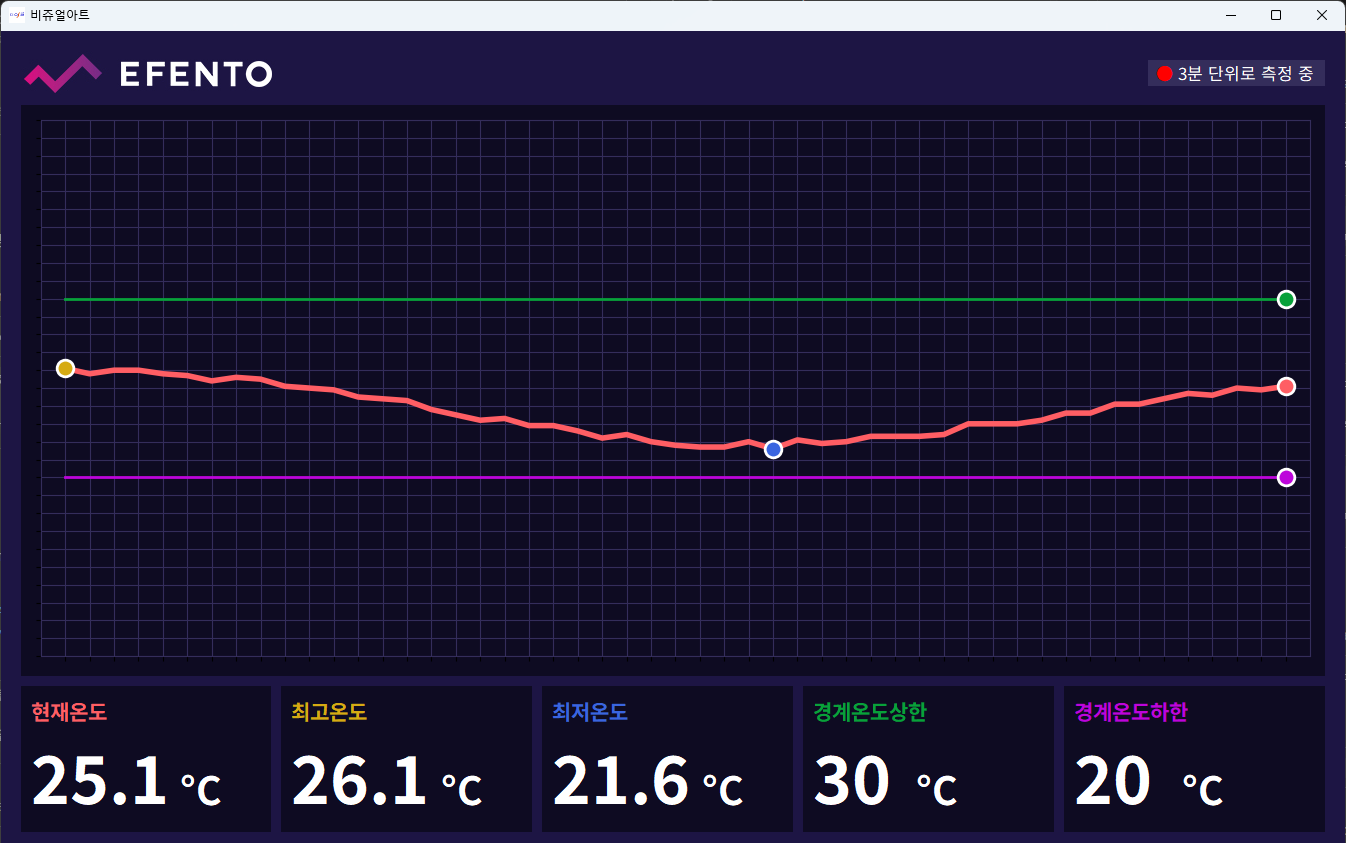
- Recent temperature history drawn as a single line chart
- Current, highest and lowest temperature shown beside the upper and lower limits in large figures
- Current, highest and lowest points plus both limit lines marked on the chart by color
- Limits adjustable on the spot, applied to chart and panels immediately
- Full-screen mode for a dedicated monitor
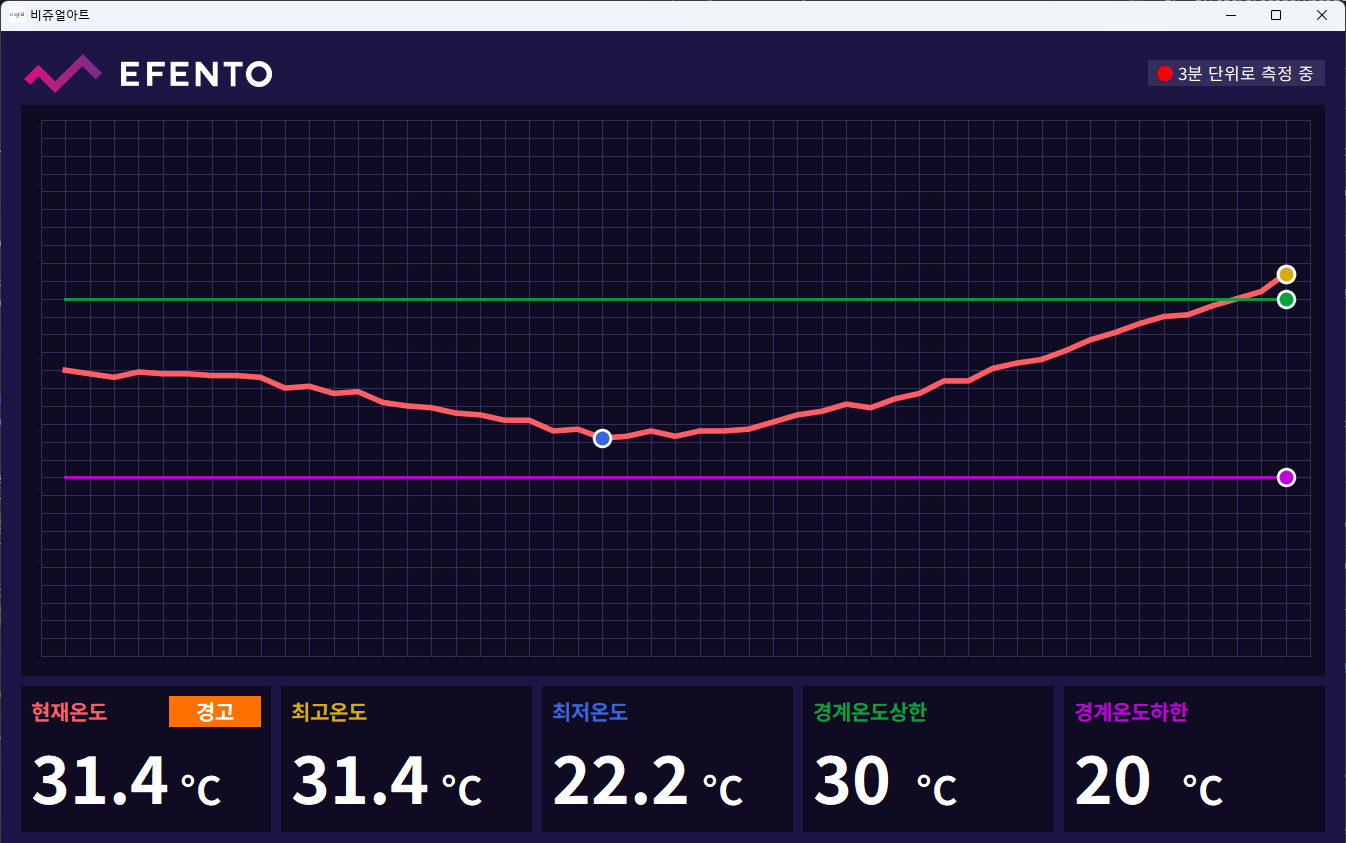
- On-screen warning plus a repeating alert sound whenever the current reading leaves the range
- Warning and sound cleared automatically once the reading returns to range
System architecture
Flow
- Wireless sensor → vendor cloud → periodic lookup by the program → chart and figures → alert on range exit
- Readings taken every 3 minutes, with a 150-minute span on screen by default
- Sensor to watch and refresh interval changed in the configuration file
Implementation
- Cloud timestamps offset from local time → lookup window corrected so the recent span lines up
- Gaps from readings the sensor failed to upload → filled from surrounding values to keep the line unbroken
- Last reading older than 30 minutes → prompt to check the sensor, so stale data is not read as current
- Title and figure sizes scaled to the window → legible from a distance on a large monitor
- Alert playback kept separate from screen updates → the chart keeps refreshing during an alert
- Distributed as an executable, with no installation step
Result
- Current temperature and recent trend visible without opening the web dashboard
- Range violations noticed as they happen instead of after the fact
- One always-on monitor giving several people the same view at once
- Alarm limits changed on site as conditions require
Technology
- Python
- wxPython
- matplotlib
- REST API
- PyInstaller
Screens
Have a problem that needs solving?
From software development to equipment integration and engineering, we can work out the approach that fits what your project needs.
Discuss a project