Engineering · 2024
Multi-Image Comparison and Measurement Viewer
A desktop program for placing captures of the same area side by side and measuring lengths and angles
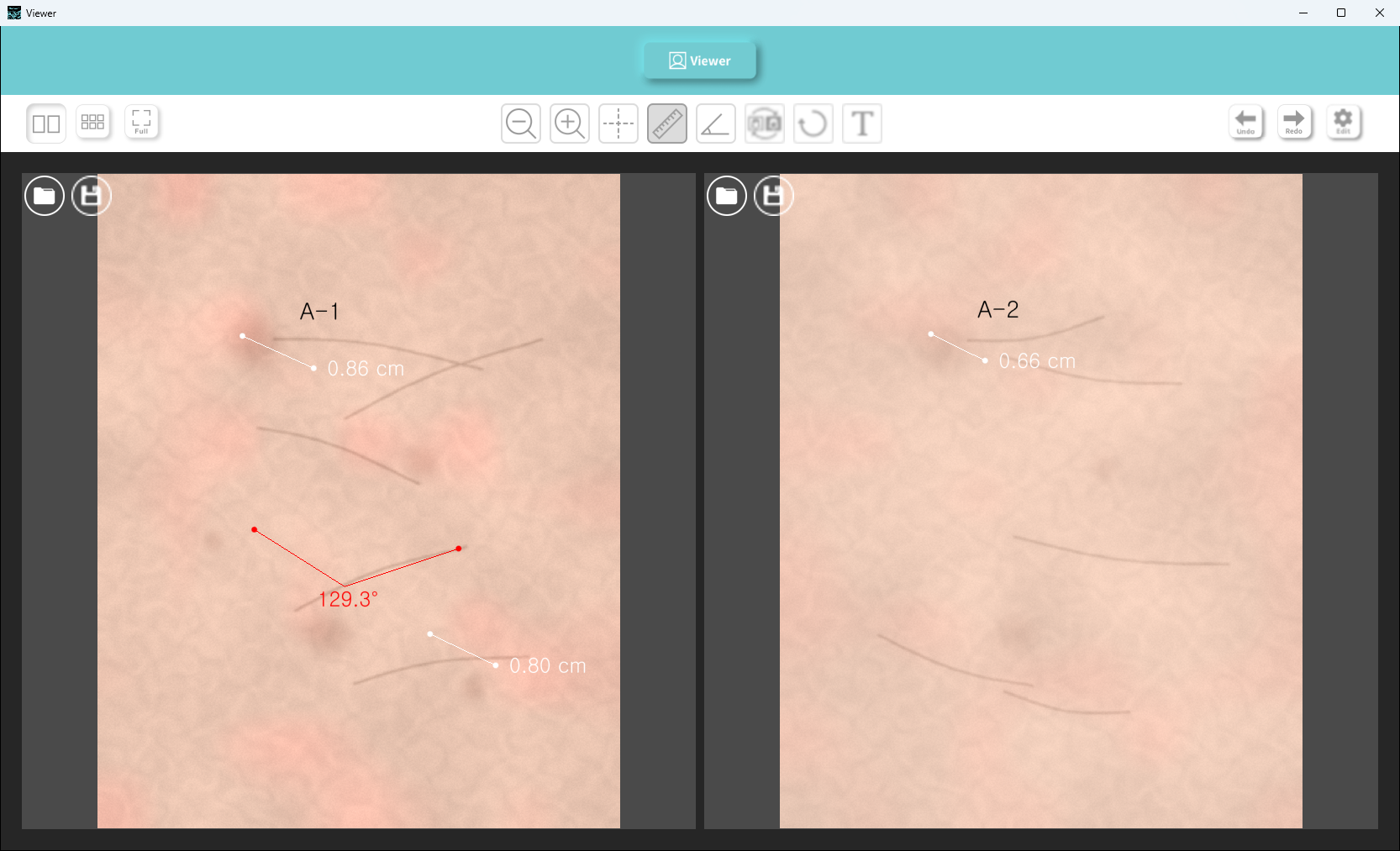
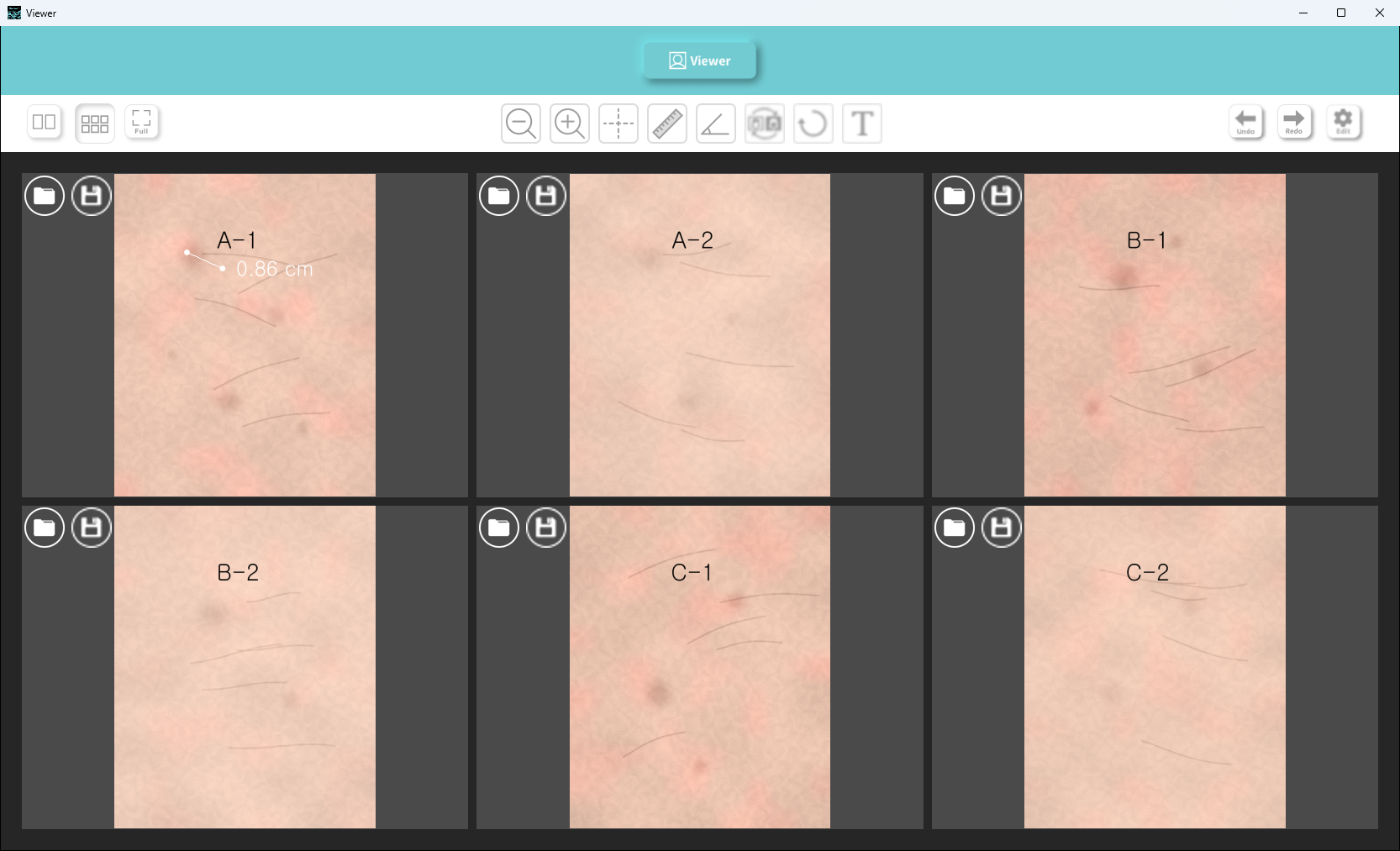
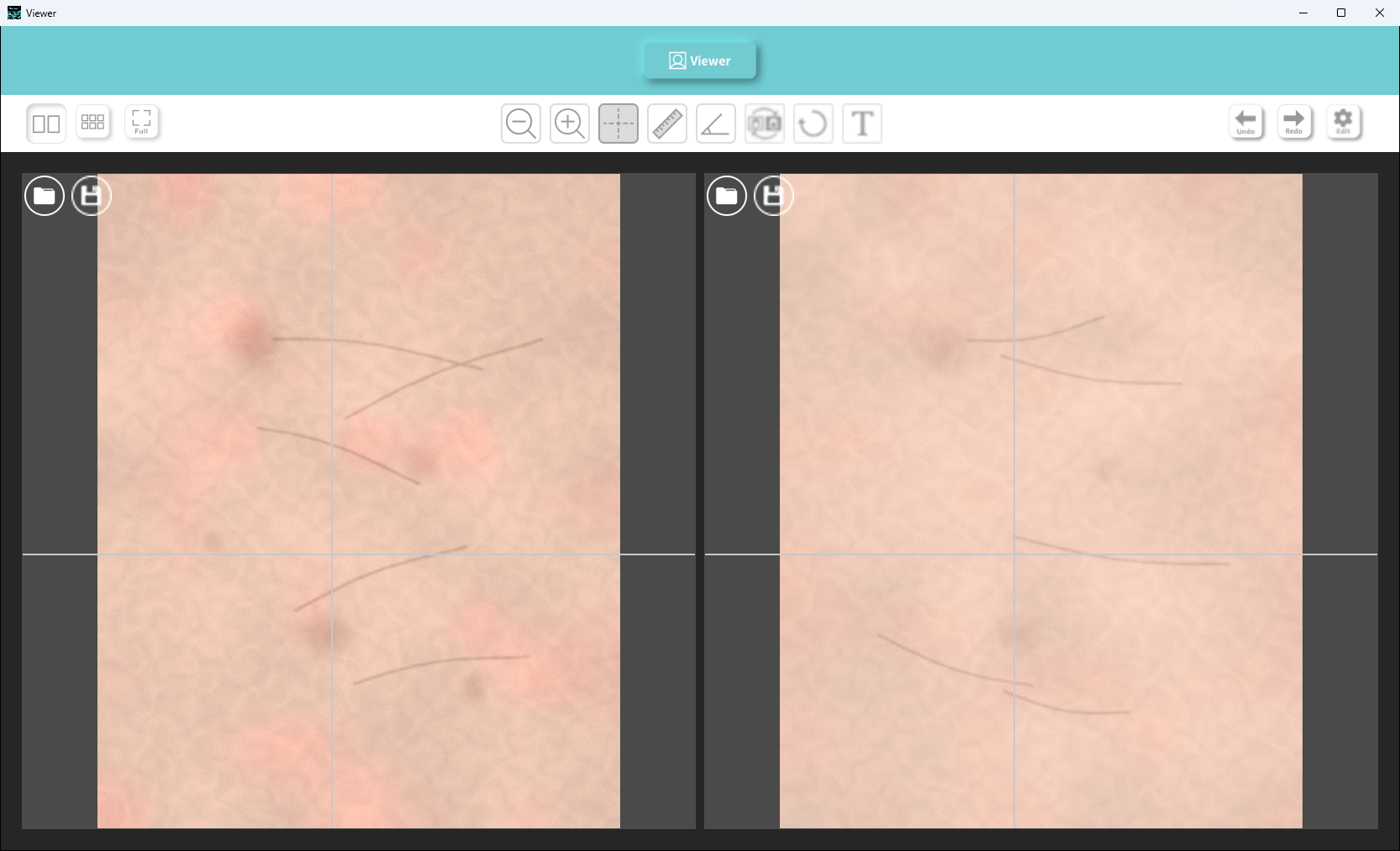
Captures from beauty-industry imaging are shown side by side in two- or six-pane layouts, with zoom and pan applied to every pane at once so the same spot lines up. Lengths, angles and notes measured on screen are burned into the image on export.
- Client
- Confidential client
- Category
- Engineering
Overview
- Windows desktop program for comparing and measuring captured images in the beauty industry
- Captures of the same area taken under different conditions, placed in one window
- Switchable two-pane and six-pane layouts, plus a full-screen mode
- Open and save buttons inside each pane, for loading and exporting per image
- Whole flow driven by the mouse, from loading to export
Challenge
- Captures taken under different conditions, compared spot by spot
- Panes zooming and panning separately, making the same position hard to line up
- Lengths and angles measured directly on the capture and kept as a record
- Correction settings fixed once and protected from changes during use
Solution
- Zoom and pan linked across every pane → one pane moved, all panes at the same scale and position
- Single right-click to return every pane to its original scale
- Crosshair guideline at the same position in every pane, moved by dragging the lines
- Two points for a length readout in cm, with draggable endpoints
- Three points for the enclosed angle in degrees
- Short notes placed anywhere on the image
- Delete mode for picking off a measurement or a note
- Undo and redo across the last 30 steps
System architecture
Workflow
- Choose layout → open an image per pane → align the guideline → measure lengths and angles → export as an image
- Measurements and notes held per pane → work in one pane never mixed into another
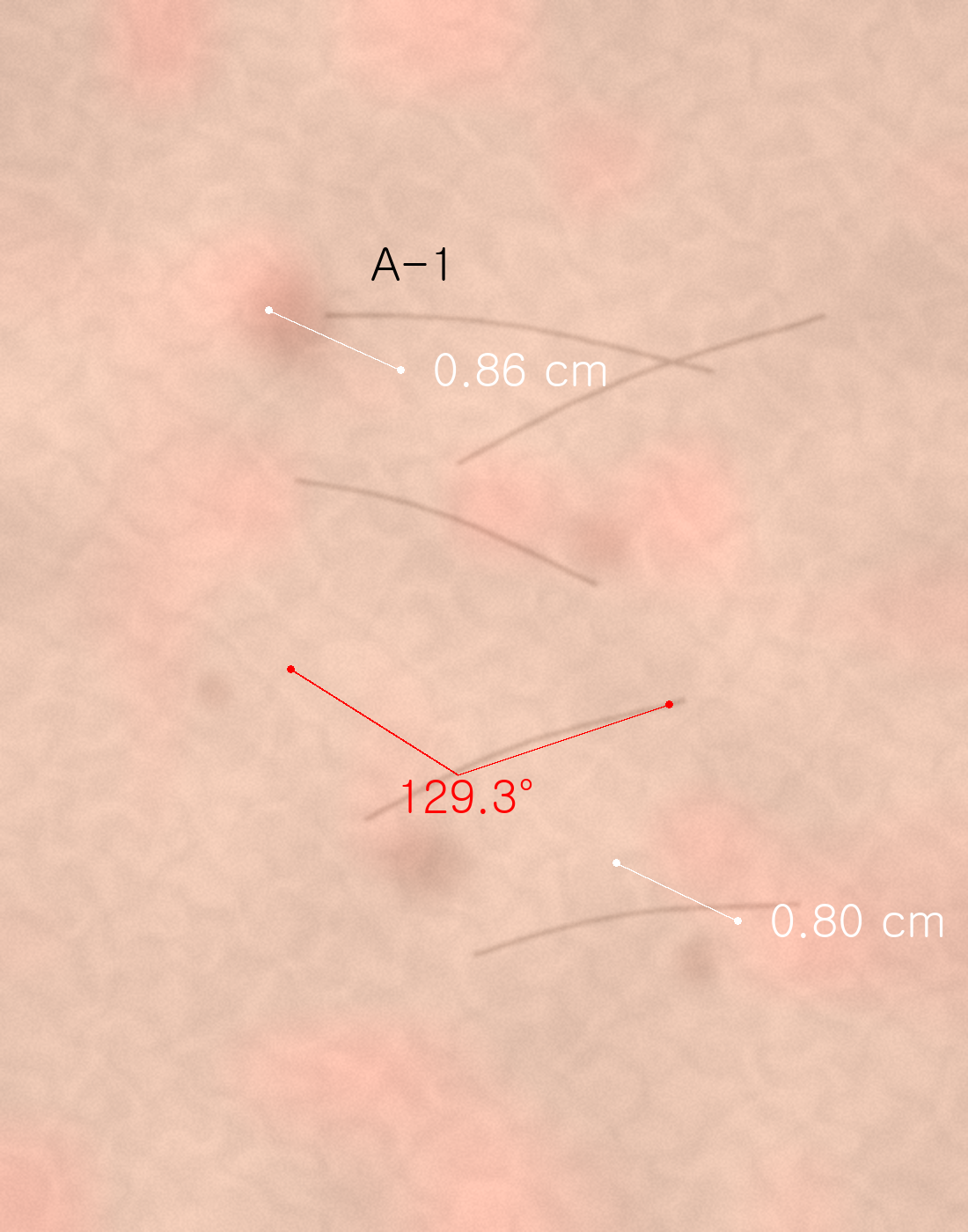
- Export draws measurements, angles and notes onto the full-resolution image as a PNG or JPG file
Implementation
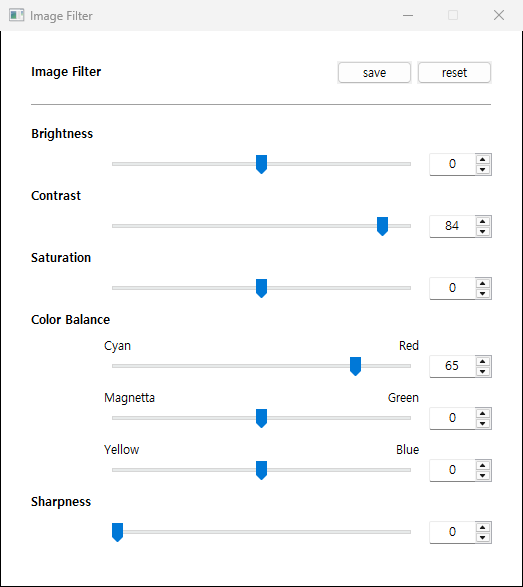
- Brightness, contrast, saturation and sharpness, plus Cyan-Red, Magenta-Green and Yellow-Blue balance, set by slider or numeric entry
- One button to switch between the original and the corrected view
- Correction values kept after the program closes → same baseline on the next run
- Correction panel opened only after a password check → no accidental changes to the baseline during use
- Label size derived from image height → consistent text proportion on exports of any resolution
Result
- Multiple captures compared at the same scale and the same position
- Measurement work finished inside the viewer, with no handover to a separate tool
- Measurements stored in the image itself, ready to keep and pass on
- Correction baseline retained in the program, so later captures are reviewed under the same conditions
Technology
- Python
- wxPython
- VisPy
- OpenGL
- NumPy
- Pillow
Screens
Have a problem that needs solving?
From software development to equipment integration and engineering, we can work out the approach that fits what your project needs.
Discuss a project