Data · 2024
Clinical Research Data Quality Evaluator
A desktop app that checks a research dataset against twenty-one quality indicators
Dataset checks that each researcher ran by their own standard now run as one pass over twenty-one quality indicators, and every table and chart exports straight into a report.
- Client
- Confidential client
- Category
- Data
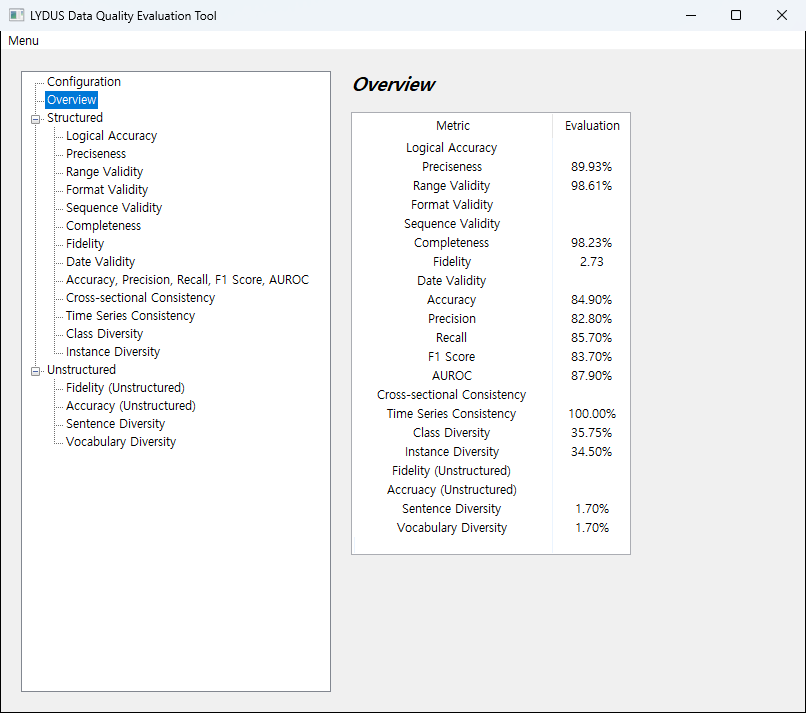
Overview
- Windows desktop program for checking the quality of research datasets held by a medical research institution
- Built for researchers and data managers who need to know the state of a dataset before analysis
- Flow: select data files → set per-indicator parameters → run the evaluation → review results → export to a folder
- Covers both tabular structured data and free text records such as clinical notes and radiology reports
- Shipped as a single executable, no installation
Challenge
- Missing values, outliers and inconsistent notation checked by each researcher separately → scope and standard differed by person
- Quality criteria written down only as documents → results hard to reproduce on a second pass over the same data
- Structured data and free text records checked by different methods → no way to compare them side by side
- Moving check results into a report done by hand every time
Solution
- Twenty-one quality indicators evaluated in a single run
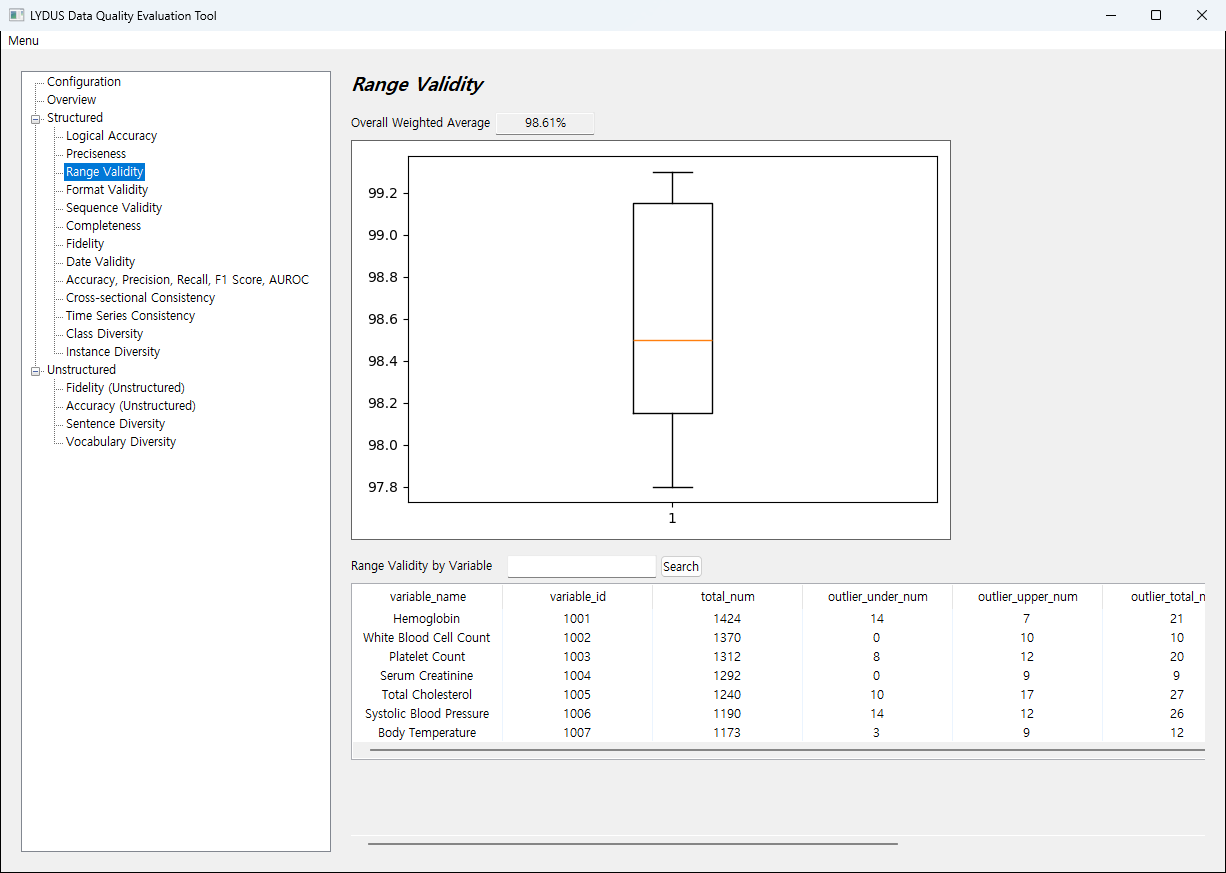
- Structured data checked for completeness, preciseness, range validity, format validity, sequence validity, date validity, fidelity, cross-sectional consistency, time series consistency, class diversity and instance diversity
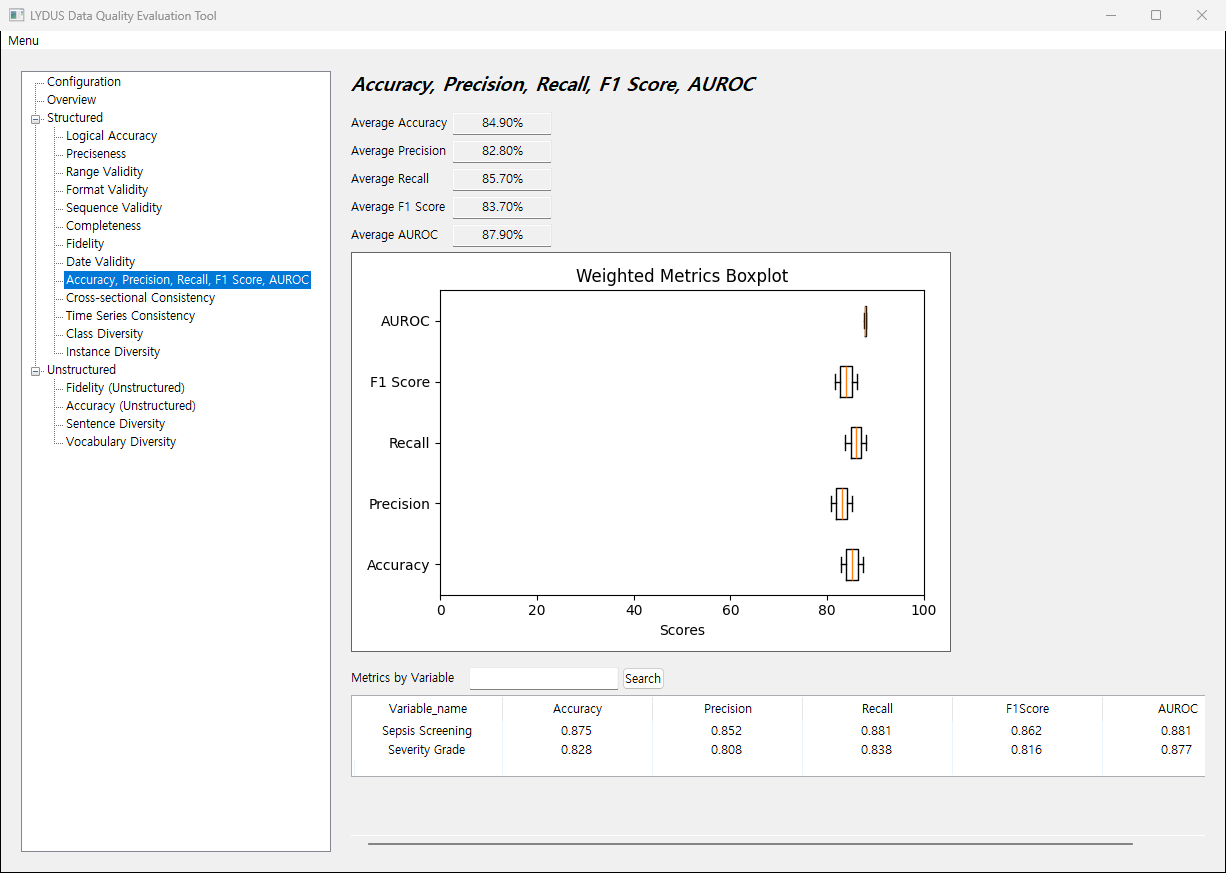
- Variables carrying a ground truth value also scored for accuracy, precision, recall, F1 score and AUROC
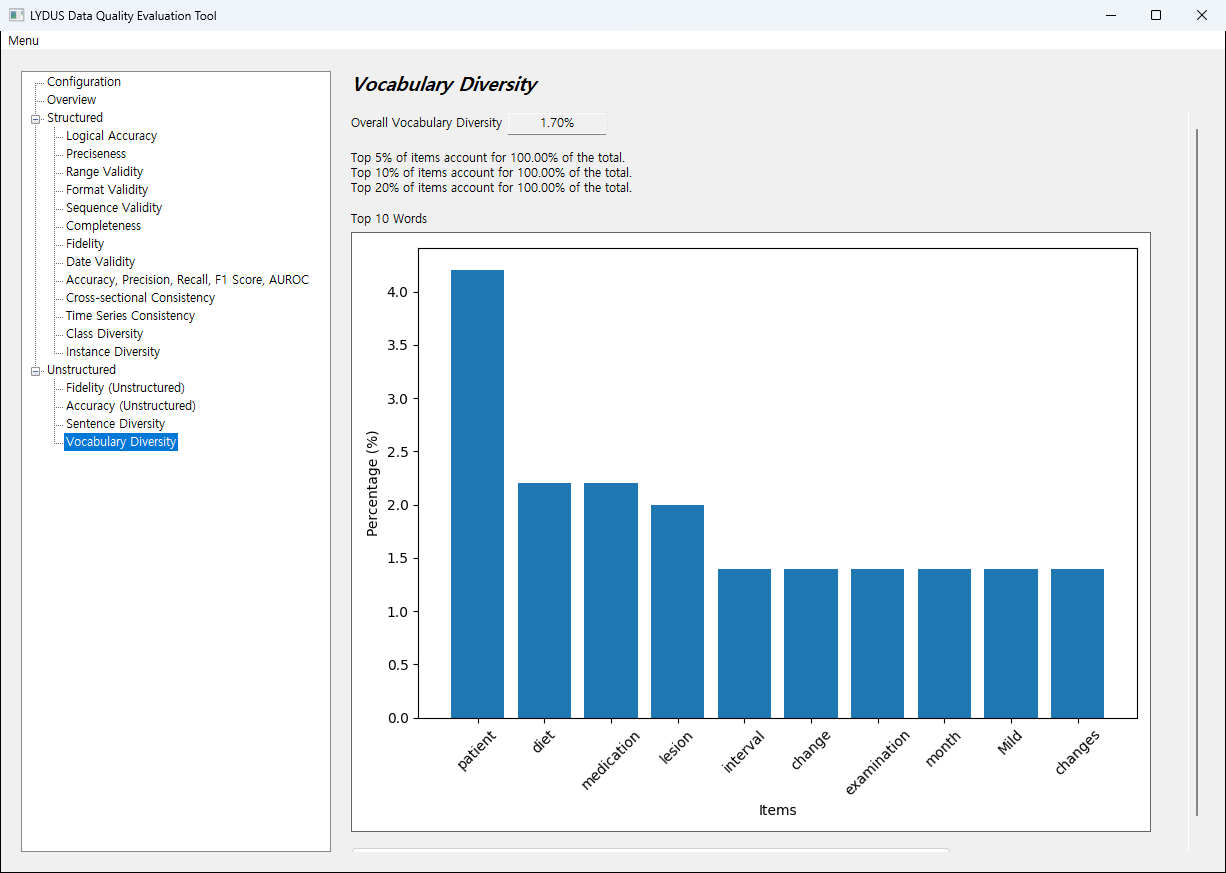
- Free text records checked for fidelity, accuracy, sentence diversity and vocabulary diversity
- Each indicator presented as an overall figure alongside per-variable numbers in a table and a chart
- Search by variable name to open the outlier list and distribution for that variable alone
System architecture
Working flow
- Collected data converted into a table file with a fixed column layout → supplied together with a variable dictionary → evaluation run → results reviewed per indicator → saved to a result folder
- Input file whose columns differ from the expected layout reported with its file name → evaluation blocked on malformed data
- Variable dictionary carries the meaning of each variable → used by indicators that depend on it, such as code notation and sequence order
- Per-indicator parameters set before the run → outlier thresholds and change point sensitivity tuned to the dataset
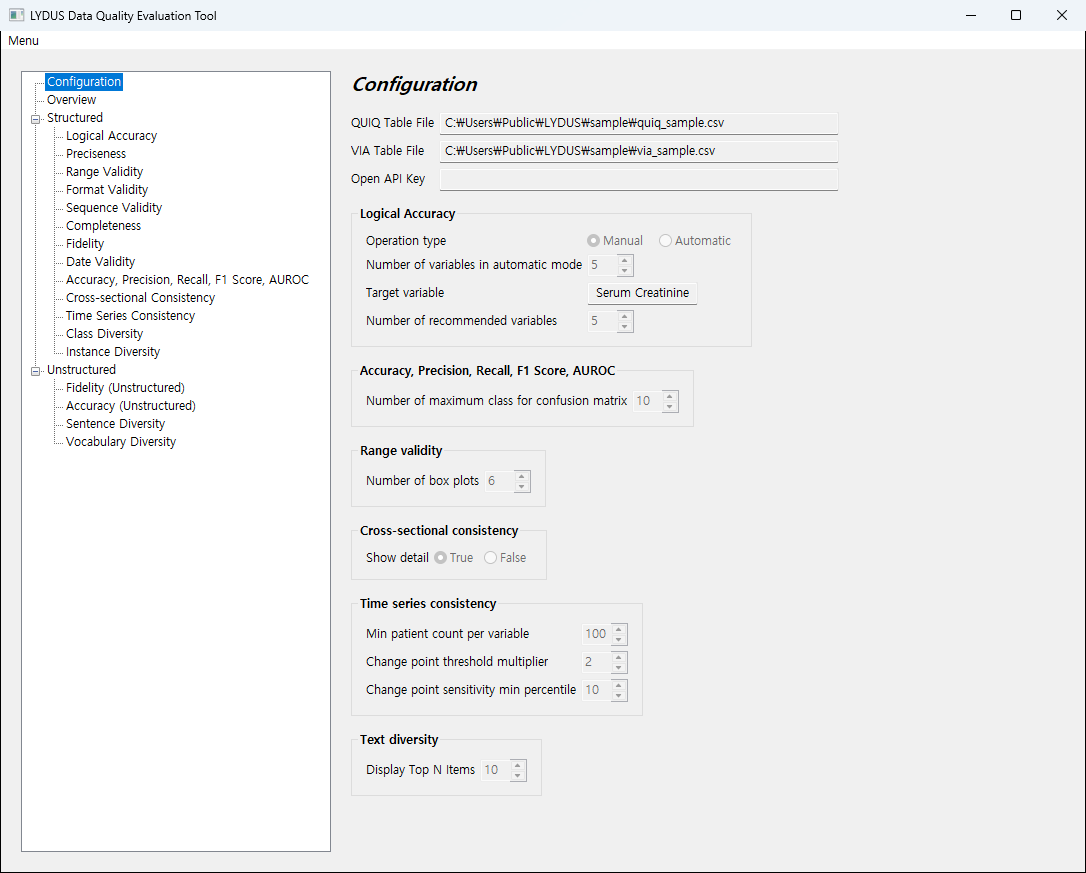
Output
- One subfolder per indicator → aggregate tables saved as table files, charts as image files
- Per-variable detail tables saved as well → quotable directly when writing a report
Implementation
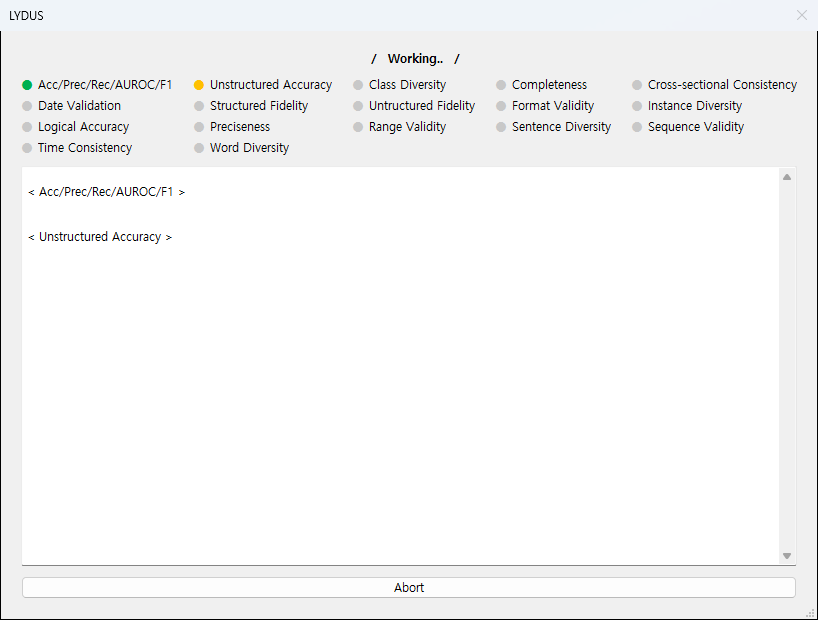
- Evaluation run apart from the interface → the window stays responsive while a slow indicator is working
- Each indicator marked as pending, running, complete or failed, with processing output streamed to a live log
- A failed indicator does not stop the rest → partial results still obtained
- Run can be aborted midway → no need to wait it out after a wrong setting
- Free text records interpreted by a language model → items that previously needed a human reader turned into indicators
- Errors raised while saving collected per indicator and shown on one screen → clear which results are missing
- Full text of the open source licenses in use readable inside the program
Result
- Dataset quality checked against the same standard on every run
- Structured data and free text records compared on one screen
- Check results exported as table and chart files, used as is in reports
- Settings changed and the run repeated → results under a different standard compared immediately
- Weak parts of a dataset identified before analysis begins
Technology
- Python
- wxPython
- pandas
- matplotlib
- scikit-learn
- statsmodels
- PyTorch
- OpenAI API
Screens
Have a problem that needs solving?
From software development to equipment integration and engineering, we can work out the approach that fits what your project needs.
Discuss a project