Engineering · 2024
Before-and-After Photo Comparison and Measurement Viewer
A desktop program that places treatment photographs side by side at a shared zoom level and measures lengths and angles on them
Replaced eyeballed before-and-after photo comparisons with a single window that tiles the photographs at a shared zoom level, measures distances in centimeters and angles in degrees, and exports an annotated image.
- Client
- Confidential client
- Category
- Engineering
Overview
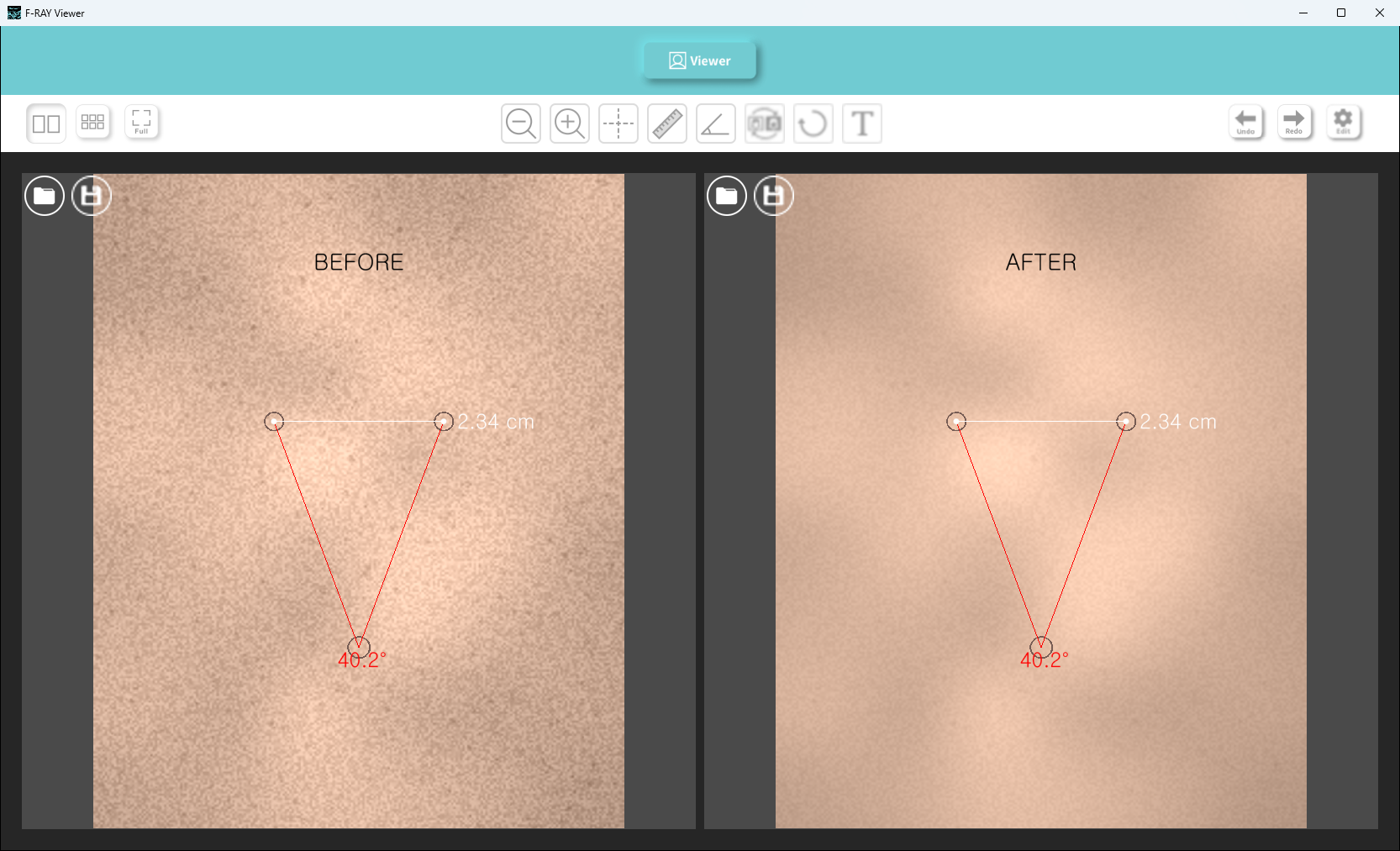
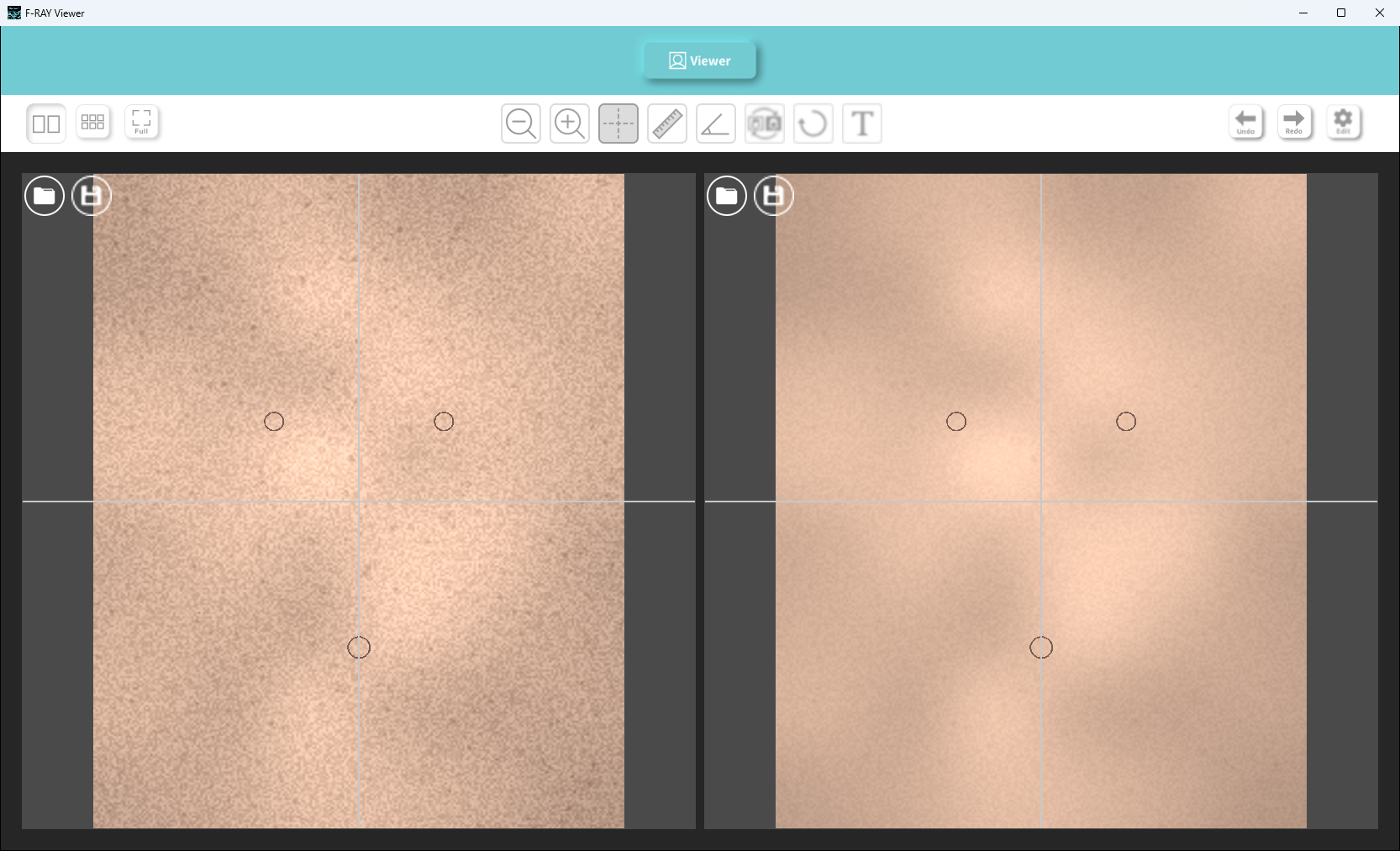
A Windows desktop program built for comparing before-and-after treatment photographs in aesthetic practice consultations. Photographs taken with a dedicated imaging device are loaded into a two-pane or six-pane layout, where lengths and angles can be measured and annotations added directly on the image.
Two things set it apart from a general image viewer. Every pane shares one zoom level and position, so the photographs always move together. And distances read out in centimeters rather than pixels, because the imaging device shoots at a fixed magnification that converts pixels to real length.
Challenge
Comparing photographs is possible in any image viewer, but a few things got in the way of using one during consultations.
- Opening photographs separately left each at its own zoom level and position, making it hard to view them under the same conditions
- Changes could only be described in words, with no way to point to a number
- Keeping a record meant taking a screenshot and redrawing the lines and notes in a separate editor
- Differences in brightness and color between shooting sessions could not be corrected
Solution
Comparison, measurement, correction and export all happen in one window.
Comparison
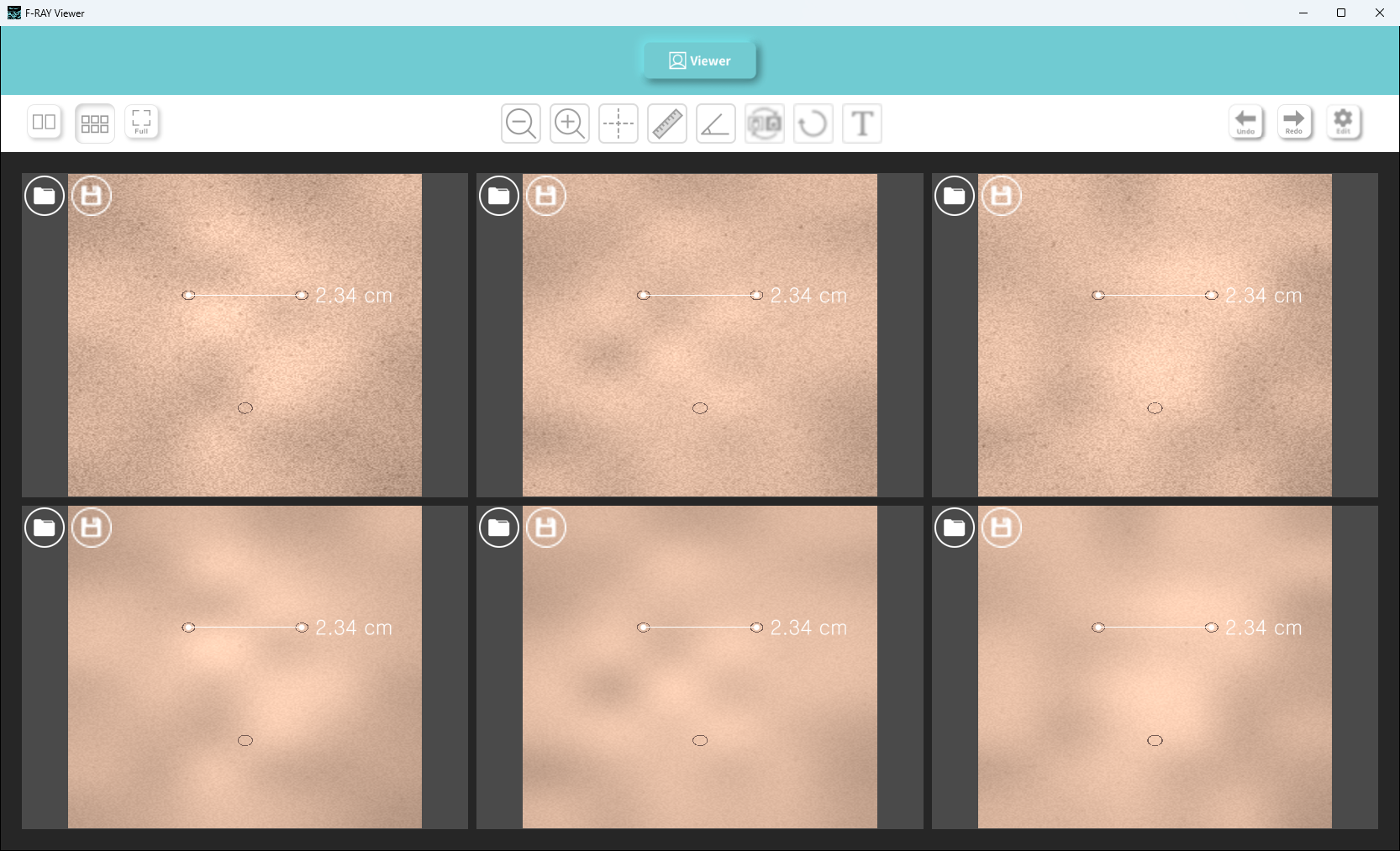
A button switches between two-pane and six-pane layouts. All view cameras are linked, so zooming or dragging one pane moves the rest to the same scale and position. A crosshair guideline can be overlaid to align a common reference across photographs, and its intersection point is draggable.
Measurement and annotation
Two points give the distance between them in centimeters; three points give the enclosed angle in degrees. Points can be dragged afterwards and the values update with them. Text can be placed anywhere on the image. Every edit can be undone and redone.
Correction
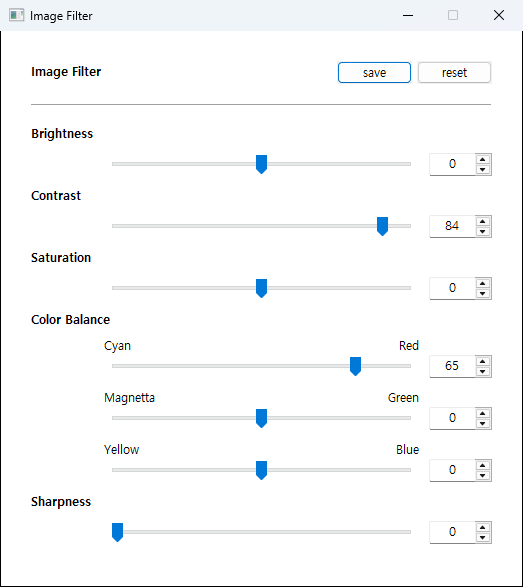
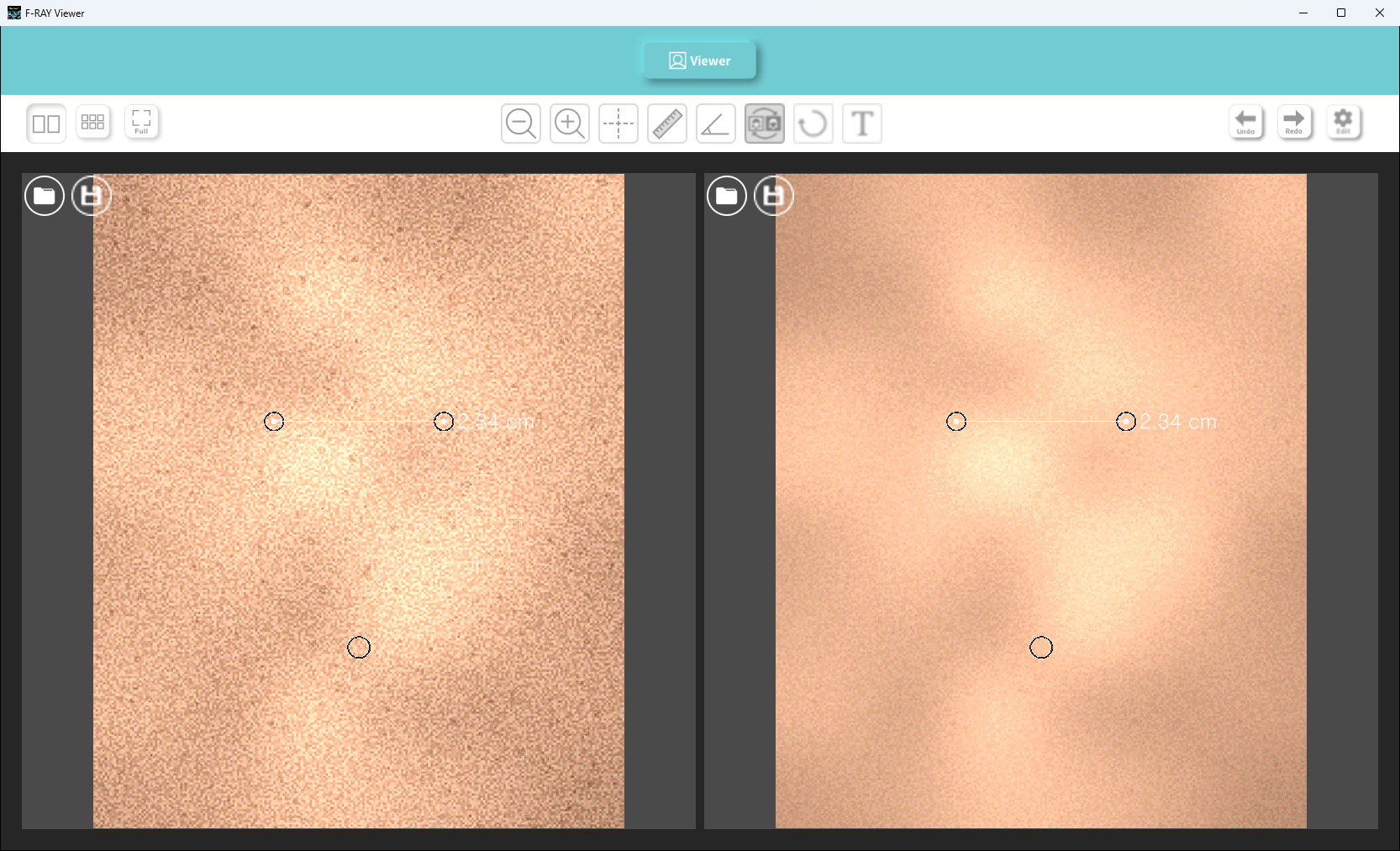
Brightness, contrast, saturation, color balance and sharpness are set with sliders and stored, after which one button toggles between the original and the corrected view. The settings window is password-protected so values are not changed by accident during a session.
Export
A save button on each pane writes out an image file with the measurement lines, values and text composited into it.
System architecture
Components
m_main: main window and icon toolbar, tying button state to canvas modem_canvas: canvas built on the VisPy scene graph, handling pane layout, cameras and mouse eventsp_utils: manager layer for measurements and annotations, with length, angle, text and image managers under a shared abstract basep_vars: icon loading and persistence of correction parametersm_button: bitmap button with pressed and toggled states
Data flow
- Loading a photograph has the image manager hold both the original and corrected arrays, putting one on the view depending on the toggle state
- Mouse coordinates are converted from screen pixels to image coordinates before reaching a manager, which updates its point list and redraws
- Every edit is pushed onto a stack as a paired do and undo command
- Saving does not capture the screen; it redraws the measurement elements onto the full-resolution image
Implementation
One visual per view
Drawing cost grows if each new measurement adds its own scene element. Each view holds exactly one line, one marker set and one text object, and every measurement is merged into the coordinate arrays inside them. Adding or moving a point rebuilds the arrays and uploads them in a single pass. Each element carries a z-axis offset that fixes the stacking order of photograph, measurement lines, markers and guideline.
Constrained camera
The default camera can be dragged past the edge of a photograph, leaving empty space on screen. Panning and zooming are overridden so the visible region always stays inside the photograph, and when zooming out makes the photograph smaller than the pane it is centered instead. Linking the cameras to one of them keeps the panes in sync.
Coordinate conversion
Measurements are stored in image coordinates so they stay anchored to the same spot regardless of zoom. The grab radius for picking up a point, however, has to feel consistent to the hand, so it is computed in screen pixels: only when searching for the nearest point are coordinates mapped back to the screen.
Re-rendering on save
Saving a screen capture would keep only what is visible and at a lower resolution. Instead, measurement lines and text are redrawn onto the full-resolution image with Pillow. Font size is derived from a fixed proportion of the image height, and line width and marker radius scale with the font height, so output looks consistent across photograph sizes.
Result
During a consultation, before-and-after photographs now sit side by side at the same scale and position, and changes can be pointed to in centimeters and degrees. The comparison leaves behind an image file with the measurement lines and notes composited in, ready to keep as a record without passing through a separate editor.
Brightness and color differences between shooting sessions are evened out with stored correction values, and one button switches between the original and the corrected view.
Technology
- Python
- wxPython
- VisPy
- NumPy
- Pillow
- OpenGL
Screens
Have a project in mind?
Tell me about the problem and where things stand, and we can work out the right approach together.
Discuss a project