Engineering · 2025
Ultrasonic Anemometer Monitoring and Logging Application
A desktop application linking an anemometer to an on-site display board while recording every reading
A Windows desktop application that reads an ultrasonic anemometer once per second, shows wind speed and direction live, raises an alarm when a threshold is exceeded, and forwards the same values to an on-site display board. Every reading is kept, so any date range can be exported to an Excel file.
- Client
- Confidential client
- Category
- Engineering
Overview
- Windows desktop application reading an ultrasonic anemometer over a serial connection at one-second intervals
- Built for on-site staff to check current wind speed and direction at a glance, and to look back over a chosen period
- Reading, on-screen display, alarm decision, display-board output and record keeping handled in one application
- Runs standalone on a single on-site PC, with no server or network connection
Solution
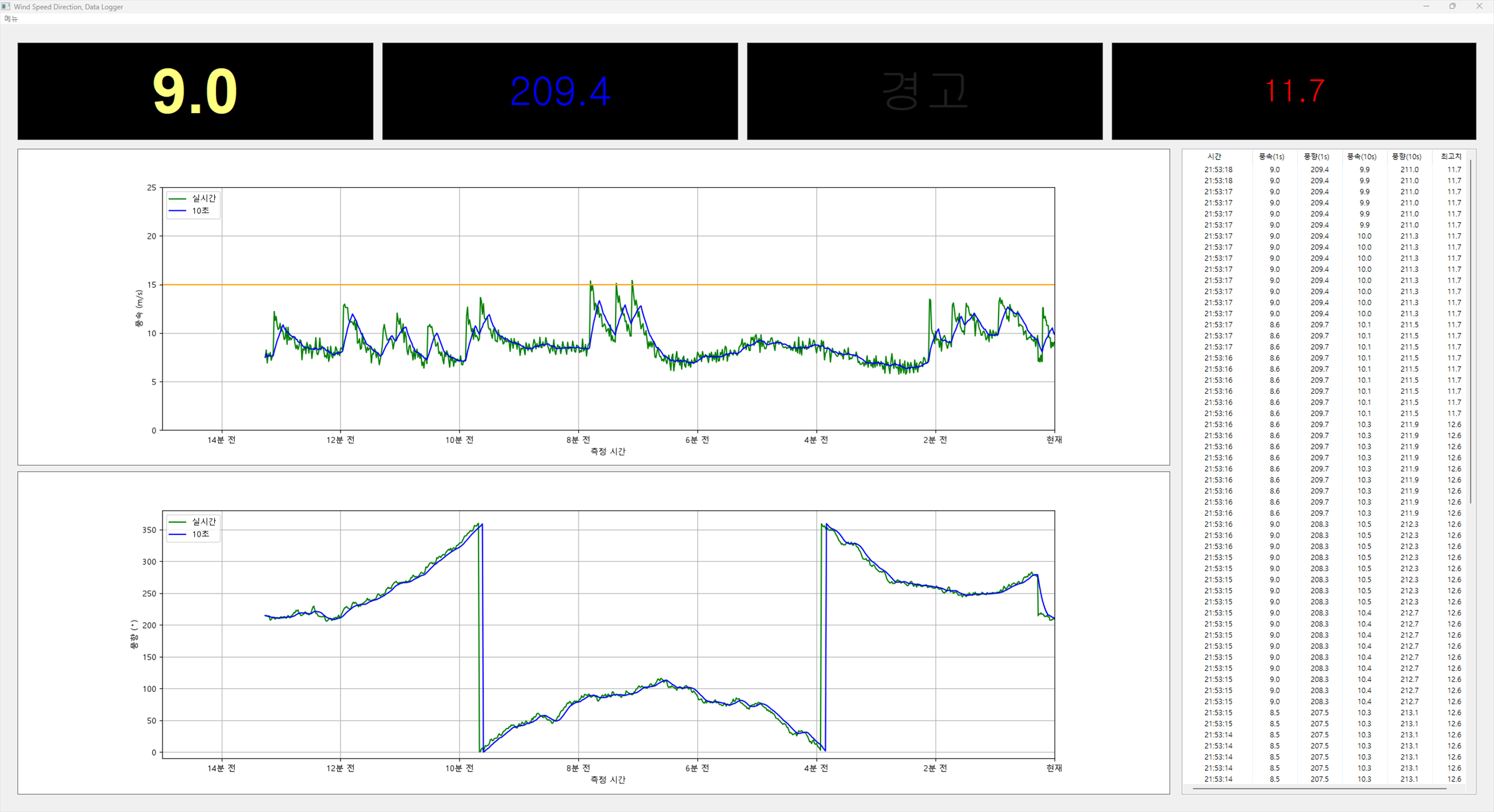
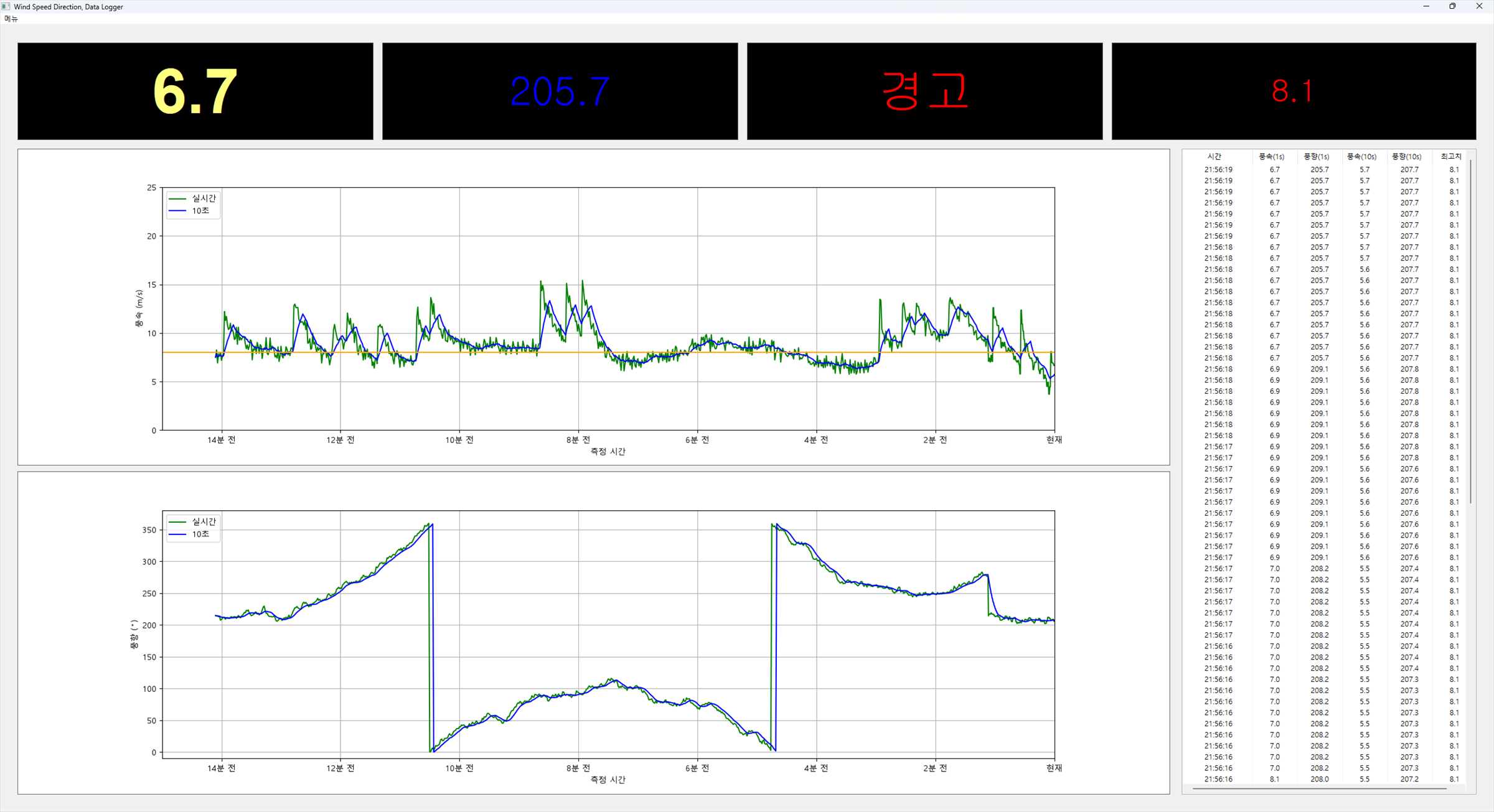
- Wind speed, direction, alarm and peak each shown as a large numeric panel → readable from across the room
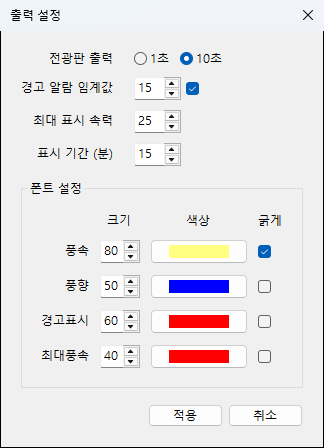
- Font size, color and weight configurable per item → adjustable to the installation spot and lighting
- Live readings and the ten-second average drawn on one chart → momentary gusts and overall trend side by side
- Recent readings also listed in a table, holding up to 100 rows
- Alarm raised above the wind speed threshold and held for two hours after the last exceedance → no flicker off when the wind briefly drops
System architecture
Flow of work
- Anemometer → serial port input → on-screen display and alarm decision → display-board output, with every reading recorded at the same time
- Separate ports for the anemometer input and the display-board output, each with port, baud rate, data bits, parity and stop bits set from the screen
- Receive-only operation continues when no output port is set or the connection fails → a display-board problem does not stop collection
Data exchanged
- Standard measurement sentences from the device parsed as sent, and re-emitted to the display board in the same form
$WIMWV,357.0,R,5.2,M,A*CS
$WIMTA,-25.0,C*CS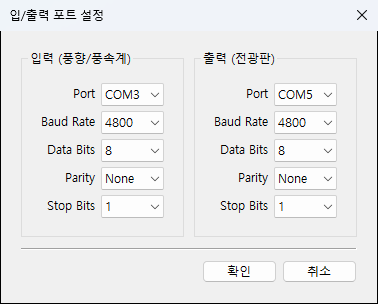
Implementation
- Direction is an angle, so a plain average does not hold → ten-second average computed treating 0 and 360 degrees as the same bearing
- Frequent refresh unnecessary on a display board → output limited to once every ten seconds, choosing live values or the ten-second average
- Device fault values (error codes, invalid status flag) distinguished from a dropped connection → reason reported and collection stopped
- Chart window adjustable up to three hours, with the horizontal axis labelled in minutes ago rather than clock time
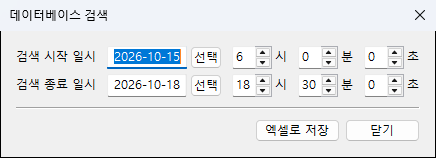
- Readings retained for three years, with older records cleared automatically at startup
- Missing or malformed record file rebuilt at startup to keep the application running
- Communication and display settings saved on exit, then checked for type and range before being applied on the next run
Result
- Current wind speed and direction, the ten-second average and the peak all visible on one screen
- Alarm state persisting past the exceedance itself → a usable indicator for work decisions
- Same values pushed to the on-site display board, reaching people who are not at the application screen
- Every reading kept, so any period can be exported to an Excel file for reporting and analysis
- Communication and display settings changeable on screen, accommodating equipment swaps and relocation
Technology
- Python
- wxPython
- matplotlib
- NumPy
- SQLite
- pyserial
- openpyxl
Screens
Have a problem that needs solving?
From software development to equipment integration and engineering, we can work out the approach that fits what your project needs.
Discuss a project