Business System · 2025
Gantt-Based Development Project Scheduler
In-house desktop app for viewing and adjusting the stage schedules of many development projects on one screen
Brings a tire manufacturer's development project schedules into a single Gantt view, so owners and stage durations are visible at a glance and tasks can be adjusted by dragging.
- Client
- Confidential client
- Category
- Business System
Overview
- In-house desktop program for the stage schedules of a tire manufacturer's development projects
- Users: development engineers, team leads, account administrators
- Flow: login → projects in a Gantt overview → project detail → review and adjust stage tasks
- Schedule data kept on an in-house server, with each PC's program sharing the same view
Challenge
- Schedules read at different time scales — both day-level detail and a multi-month overview
- Weekends blending into the timeline, making stage durations hard to count
- Repeated stage sets per car maker, re-entered for every new project
- Projects narrowed by attributes such as plant, car maker and tag
- Different priorities per owner, calling for a way to reorder what is shown first
Solution
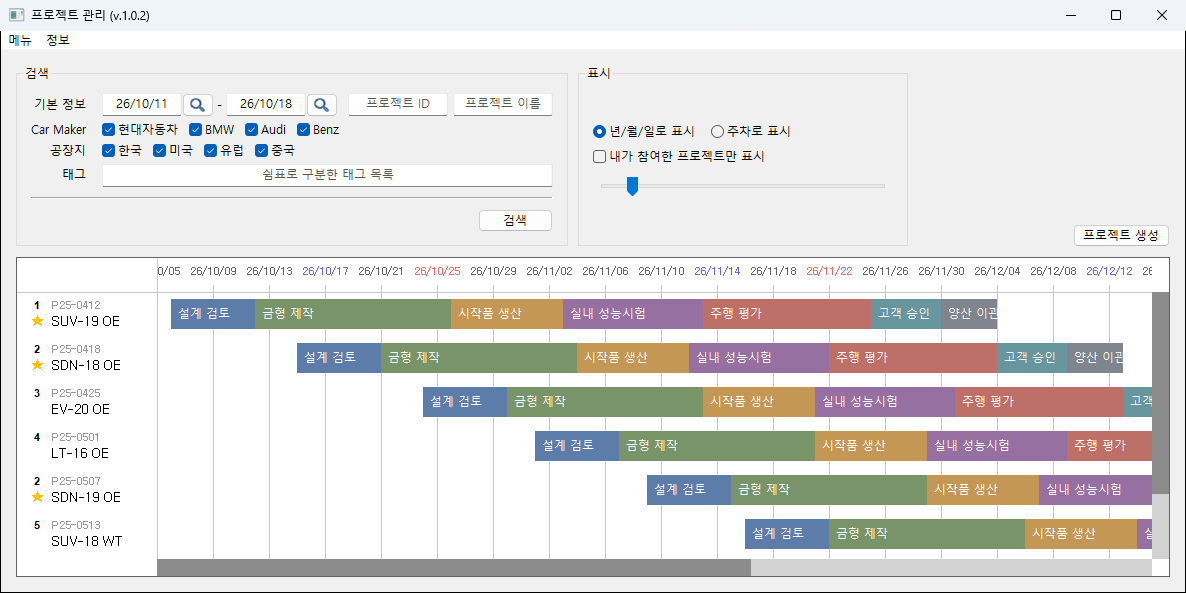
- Gantt layout with one row per project and colored bars for stage tasks
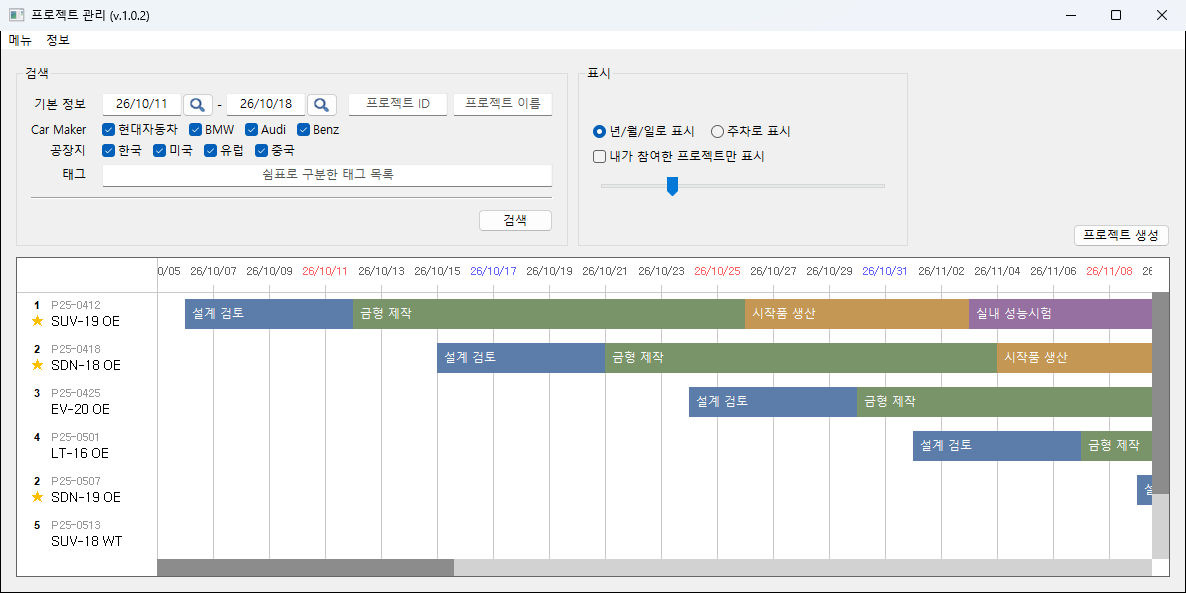
- Slider setting day width between 5 and 100 px → day-level detail and multi-month overview in the same screen
- Saturdays in blue and Sundays in red in the date header
- Priority number and a star for own involvement shown at the left of each project row
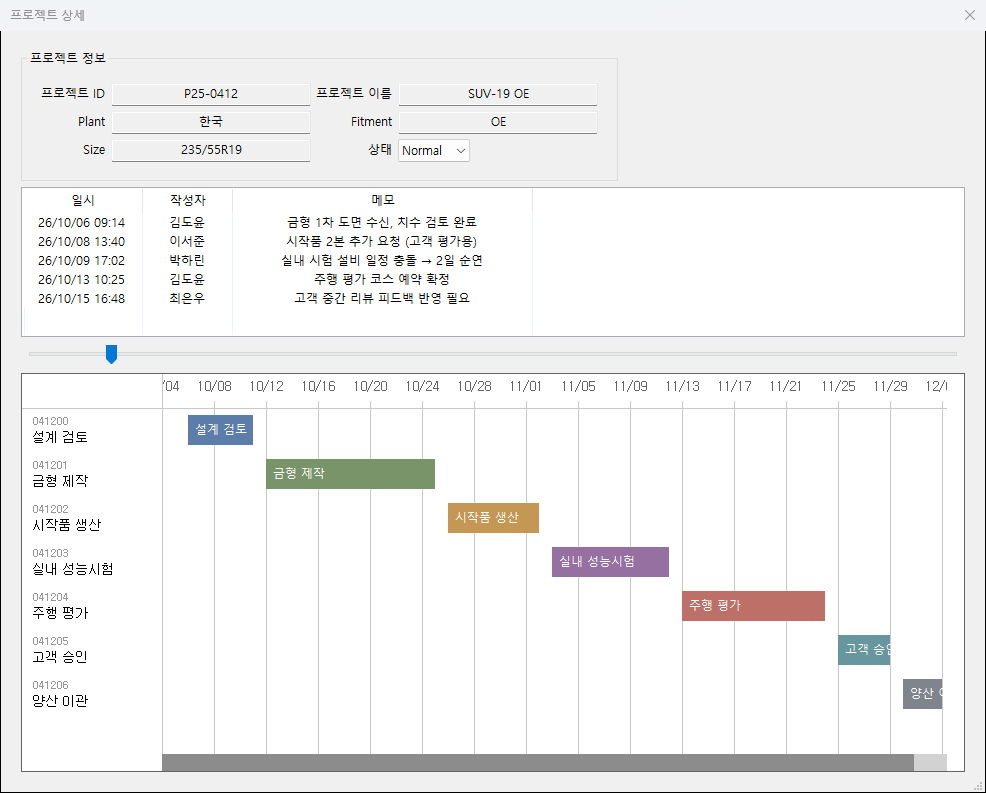
- Project name click → detail window with basic information, memo history and stage schedule
- Search area grouping date range, project ID and name, car maker, plant and tags
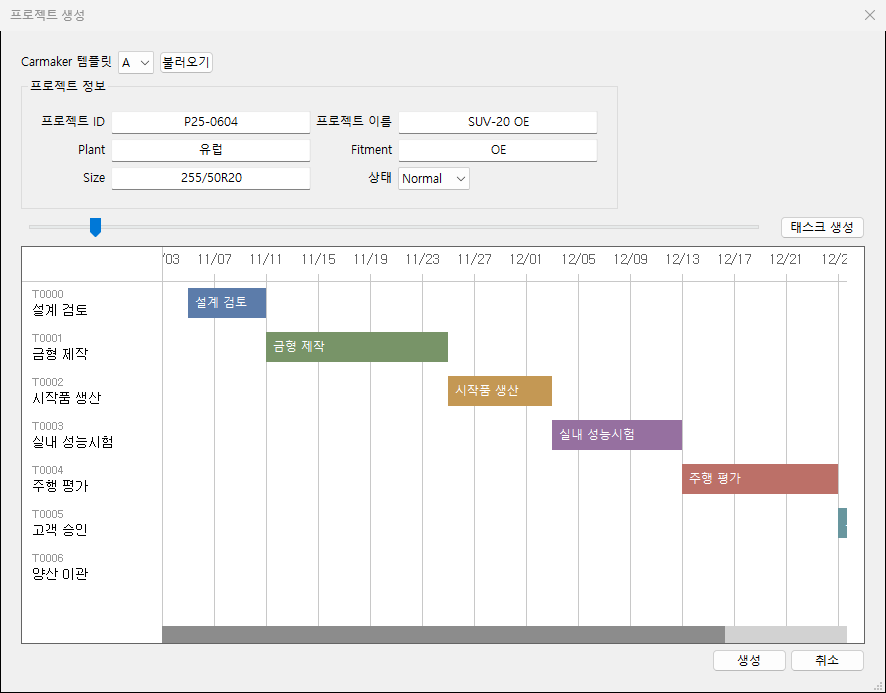
- Task bar edges dragged to set start date and duration
- Right-click on a task bar for the delete menu
- Overlapping periods on task creation reported with the conflicting task, then stopped
- Car maker template loading a stage set as tasks, with names, durations and colors
System architecture
- Program on each PC → in-house server → project, engineer and memo data
- Access granted at login and used for later requests, with re-login once it expires
- Account levels: administrator (accounts and projects) / team lead / engineer
- One project = basic information (plant, fitment, size, status) + assigned engineers + memos + stage tasks
Implementation
- Gantt view drawn directly, scrollbars included, so date grid and task bars stay aligned at any zoom level
- Date label spacing widened automatically as day width shrinks, preventing overlap
- Only the visible range drawn, keeping response steady as projects and tasks grow
- Task name switched between white and black from the bar color's brightness, readable on any color
- Cursor changed to a resize shape near a bar edge, separating duration changes from plain selection
- Wheel for vertical movement and Ctrl+wheel for horizontal, keeping long schedules navigable
Result
- Assigned projects and their stage schedules readable on one screen
- Day-level and multi-month views switched in place, allowing comparison across projects
- Repeated per-car-maker stages loaded from a template instead of re-entered at project creation
- Task durations adjusted by dragging bar edges, with no date typing
- Account and project management separated by account level, with unauthenticated requests blocked at the server
Screens
Have a problem that needs solving?
From software development to equipment integration and engineering, we can work out the approach that fits what your project needs.
Discuss a project